

View Project Weather on the Home Page
nEw Version Available
The Project Overview has replaced the legacy Project Home page and is enabled by default. Learn more about the difference between the legacy Project Home page and the new Project Overview.
To return to the legacy Project Home, Company Administrators can navigate to the Company Portfolio / Procore Home tool, click Manage Settings and toggle Project Overview  OFF.
OFF.
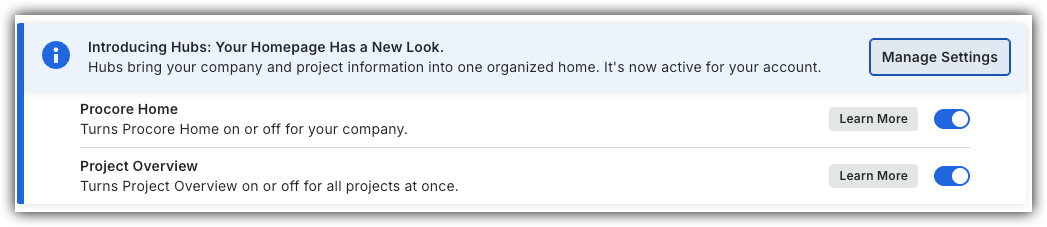
However, later this year it will be sunset and will no longer be available. If your company reverted to the legacy Project Home experience, Company Administrators can re-enable the Project Overview experience in Procore Explore. (US 2 | UK)
Background
The Project Weather section of the Project Home page allows members of the project to view the current weather forecast for the project site. It also provides you with access to a 7-day weather forecast. For this to appear on your project's Home page, it must be configured by your company's Procore Administrator. Typically, this is configured when the project is created. See Create a New Project.
Things to Consider
- Required User Permissions:
- 'Read Only' or higher permissions on the project's Home tool.
- Additional Information:
- The project's weather data is also shown in the Daily Log tool. See View a Daily Log and Create Observed Weather Condition Entries.
Prerequisites
-
In order for the weather to populate, the project's latitude and longitude coordinates must be entered in the project's Admin tool.
See Update General Project Information.
Steps
-
Navigate to the Project Overview.
-
Navigate to the project's Home to be redirected to the Project Overview.
-
Click Menu and select Project Overview.
-
-
Click the weather forecast on the 'Project Information' card to view the 7 day forecast.
Project Home (Legacy)
1. Navigate to the project's Home tool.
2. Click the arrow icon next to Project Weather if the weather section is not already expanded.
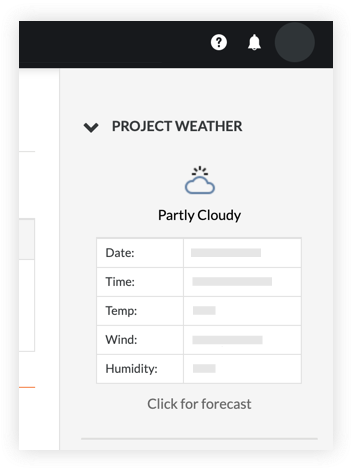
3. Click the Click for forecast link to view a 7-day forecast for your project's location.