Re-Open a Daily Log
| Previous | Current Lesson - 20/25 | Next |
A daily log can be re-opened in either the List or Calendar view.
Re-Open a Day in the List View
- Navigate to your project's Daily Log tool.
- Navigate to the day that you want to re-open.
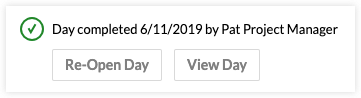
- Click Re-Open Day in the banner above the day's daily log.

Re-Open a Day in the Calendar View
- Navigate to your project's Daily Log tool.
- Click Calendar to navigate to the Calendar view.
- Click the day on the calendar you want to re-open.
- Click Re-Open Day.