

Home - User Permissions
nEw Version Available
The Project Overview has replaced the legacy Project Home page and is enabled by default. Learn more about the difference between the legacy Project Home page and the new Project Overview.
To return to the legacy Project Home, Company Administrators can navigate to the Company Portfolio / Procore Home tool, click Manage Settings and toggle Project Overview  OFF.
OFF.
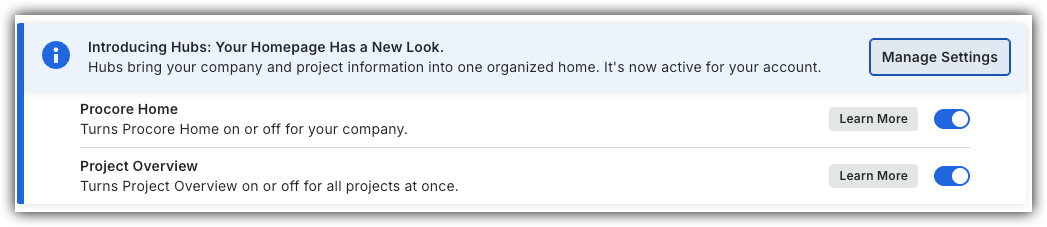
However, later this year it will be sunset and will no longer be available. If your company reverted to the legacy Project Home experience, Company Administrators can re-enable the Project Overview experience in Procore Explore. (US 2 | UK)
Learn which user permissions are required to take the described actions in this tool.
Important
Some actions that impact this tool are done in other Procore tools. Users can take the action with this permission level.
 Users can take this action with this permission level AND one or more additional requirements, like granular permissions.
Note
Users with 'Admin' permission to the project's Home tool can send announcements from Procore's mobile app on iOS and Android. See Announcements (iOS) and Announcements (Android).|
Action |
None |
Read Only |
Standard |
Admin |
Notes |
|---|---|---|---|---|---|
|
Add a Project Photo to the Home |
|
Users need 'Admin' level permissions to the project's Photos tool. |
|||
|
Add Favorites to the Project Tools Menu |
|
|
|
||
|
Change the Project Address |
|
Users need one of the following permissions to the project's Admin tool:
|
|||
|
Change Your Login ID Email Address for Your Procore User Account |
|
|
|
||
|
Configure Advanced Settings: Project Home |
|
||||
|
Manage Project Dates for the Project Home Page |
|
||||
|
Manage Project Links on the Project Home Page |
|
||||
|
Manage the Project Message for the Project Home Page |
|
||||
|
Manage the Project Message for the Project Home Page |
|
|
|
Users must also have one of the following permissions to the Project Directory tool:
|
|
|
Show or Hide Project Weather on the Project Home Page |
|
||||
|
View the Home Page |
|
|
|
||
|
View My Open Items from the Project Overview in the Project's Home page |
|
|
|
||
|
View Project Weather on the Home Page |
|
|
|
||
|
View Recently Changed Items on a Project |
|
|
|