Home - Tutorials
- Last updated
- Save as PDF
nEw Version Available
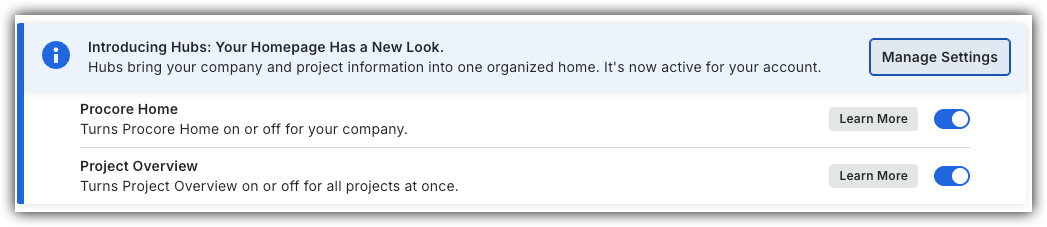
The Project Overview has replaced the legacy Project Home page and is enabled by default. Learn more about the difference between the legacy Project Home page and the new Project Overview.
To return to the legacy Project Home, Company Administrators can navigate to the Company Portfolio / Procore Home tool, click Manage Settings and toggle Project Overview
OFF.
However, later this year it will be sunset and will no longer be available. If your company reverted to the legacy Project Home experience, Company Administrators can re-enable the Project Overview experience in Procore Explore. (US 2 | UK)
There are no items that match your search query.
- About the Project Home Page
- Add Favorites to the Project Tools Menu
- Add Project Milestones to the Project Home Page
- Change Your Account Language in 'My Profile Settings'
- Change the Project Address
- Configure Advanced Settings: Project Home
- Create an App Configuration in a Project
- Launch an Embedded App in a Project
- Manage 'My Profile Settings'
- Manage Project Dates for the Project Home Page
- Manage Project Links on the Project Home Page
- Manage the Project Message for the Project Home Page
- Manage the Project Team Roles for the Project Home Page
- Request to have an App Installed from the Procore Marketplace
- Search for Items Within a Project Using Procore Search
- Set a Project Photo
- Show or Hide Project Weather on the Project Home Page
- View API Request Metrics in a Project
- View App Configurations in a Project
- View App Management Metrics in a Project
- View My Open Items from the Project Overview in the Project's Home Page
- View Project Weather on the Home Page
- View Recently Changed Items on a Project