

Change the Project Address
nEw Version Available
The Project Overview has replaced the legacy Project Home page and is enabled by default. Learn more about the difference between the legacy Project Home page and the new Project Overview.
To return to the legacy Project Home, Company Administrators can navigate to the Company Portfolio / Procore Home tool, click Manage Settings and toggle Project Overview  OFF.
OFF.
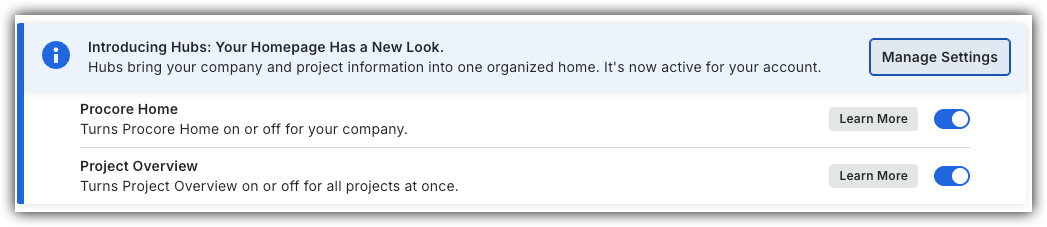
However, later this year it will be sunset and will no longer be available. If your company reverted to the legacy Project Home experience, Company Administrators can re-enable the Project Overview experience in Procore Explore. (US 2 | UK)
Background
In a Procore project, the project's address in the top-right corner of the Home page. This address is initially added and can be updated in the Project level Admin tool.
Things to Consider
-
Required User Permissions:
-
'Admin' on the project's Admin tool.
OR -
'Read Only' or 'Standard' level permissions on the Project level Admin tool with the 'Update General Settings' granular permission enabled on your permissions template.
-
Steps
-
Navigate to the Project Overview.
-
Navigate to the project's Home to be redirected to the Project Overview.
-
Click Menu and select Project Overview.
-
-
In the 'Project Information' section, click the vertical ellipsis
 and select Edit Project.
 -
Update project details.
-
Click Update.
-
Optional: To make changes to additional project information, click the vertical ellipsis
and select click Go To Project Admin.Project Home (Legacy)
-
Navigate to the project's Admin tool.
-
In the Address box, type over the existing entry.
-
Scroll to the bottom of the page.
-
Click Update.
-