Resource Management Report
The Analytics Resource Management Report is a tailored analytics tool designed specifically for specialty contractors to provide detailed insights into their specific areas of work within construction projects. This report leverages data from various Procore tools to offer a comprehensive view of performance, productivity, financial health, compliance, and resources, helping specialty contractors manage their operations more effectively.
Prerequisites
In order for the Resource Management Report to function properly, budgeted production quantities must be added to the project's budget and quantities must be added to the project's timesheets. See Add Budgeted Production Quantities to a Project's Budget and Add Quantities to a Timesheet.
Procore Tools Used in the Resource Management Report
-
Resource Planning
Report Pages
Status Report
Insights
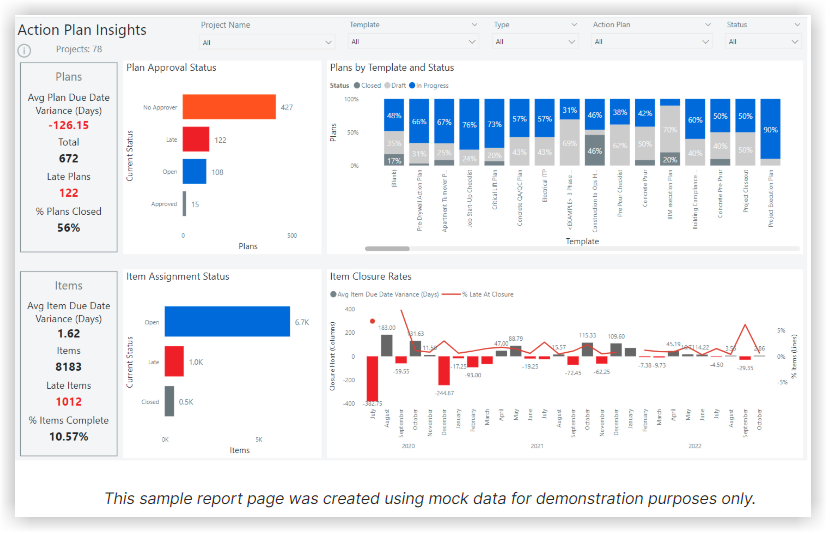
The Action Plans Insights report page offers a variety of visuals that deliver insights into Action Plans data, including details on Plan Approval Status, Item Assignment Status, and more.
Production Report
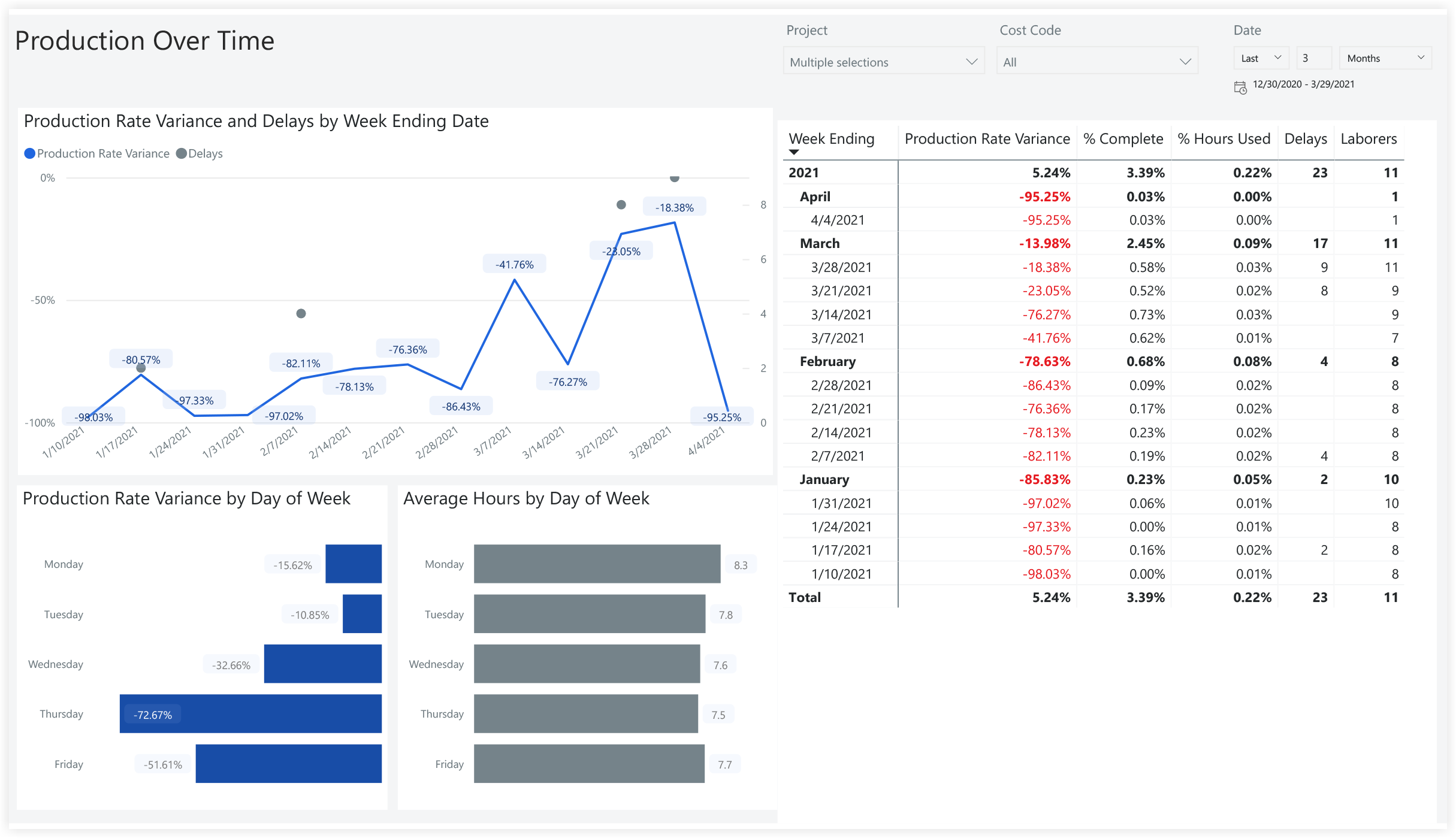
Production Overtime
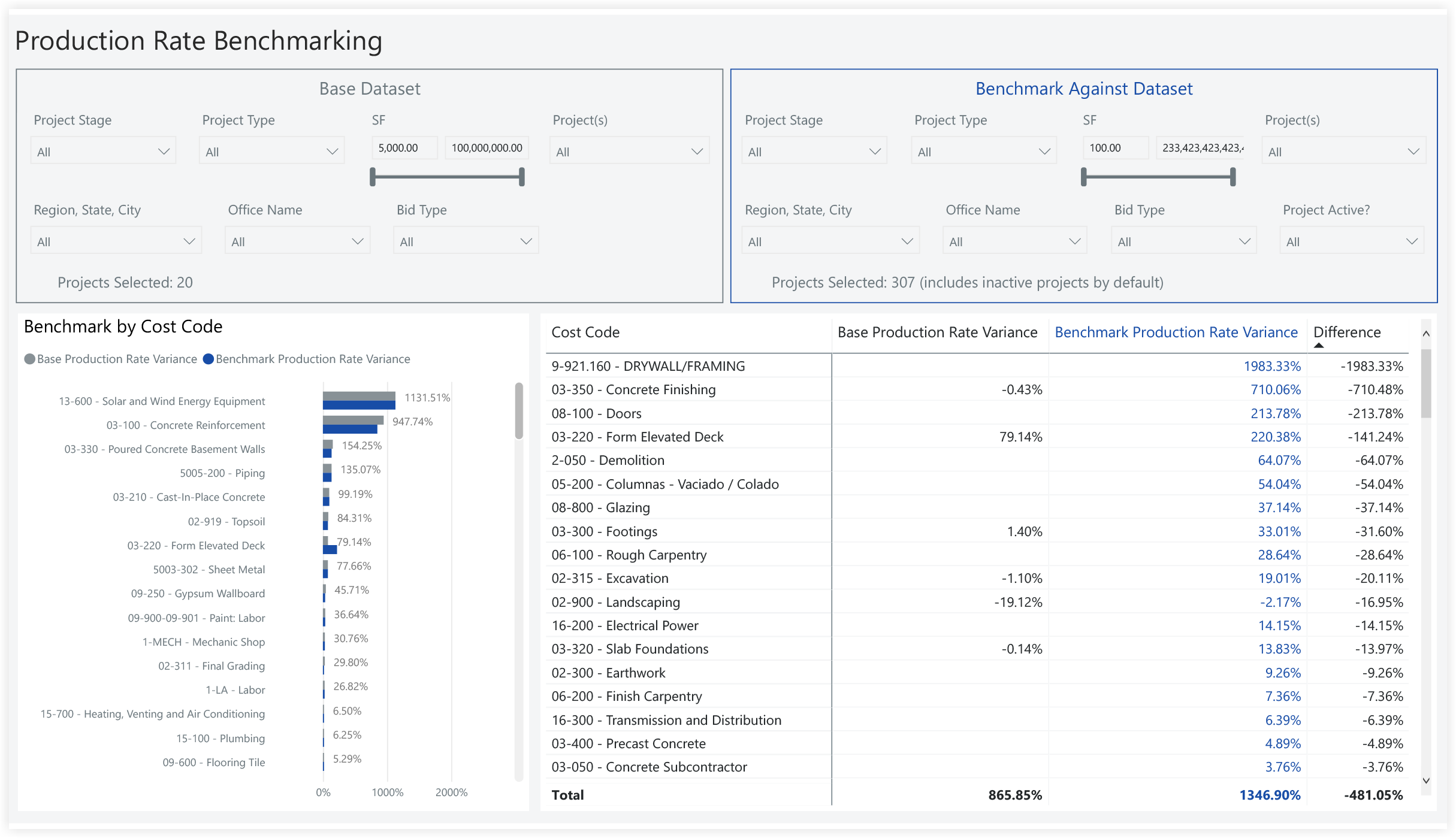
Production Rate Benchmarking
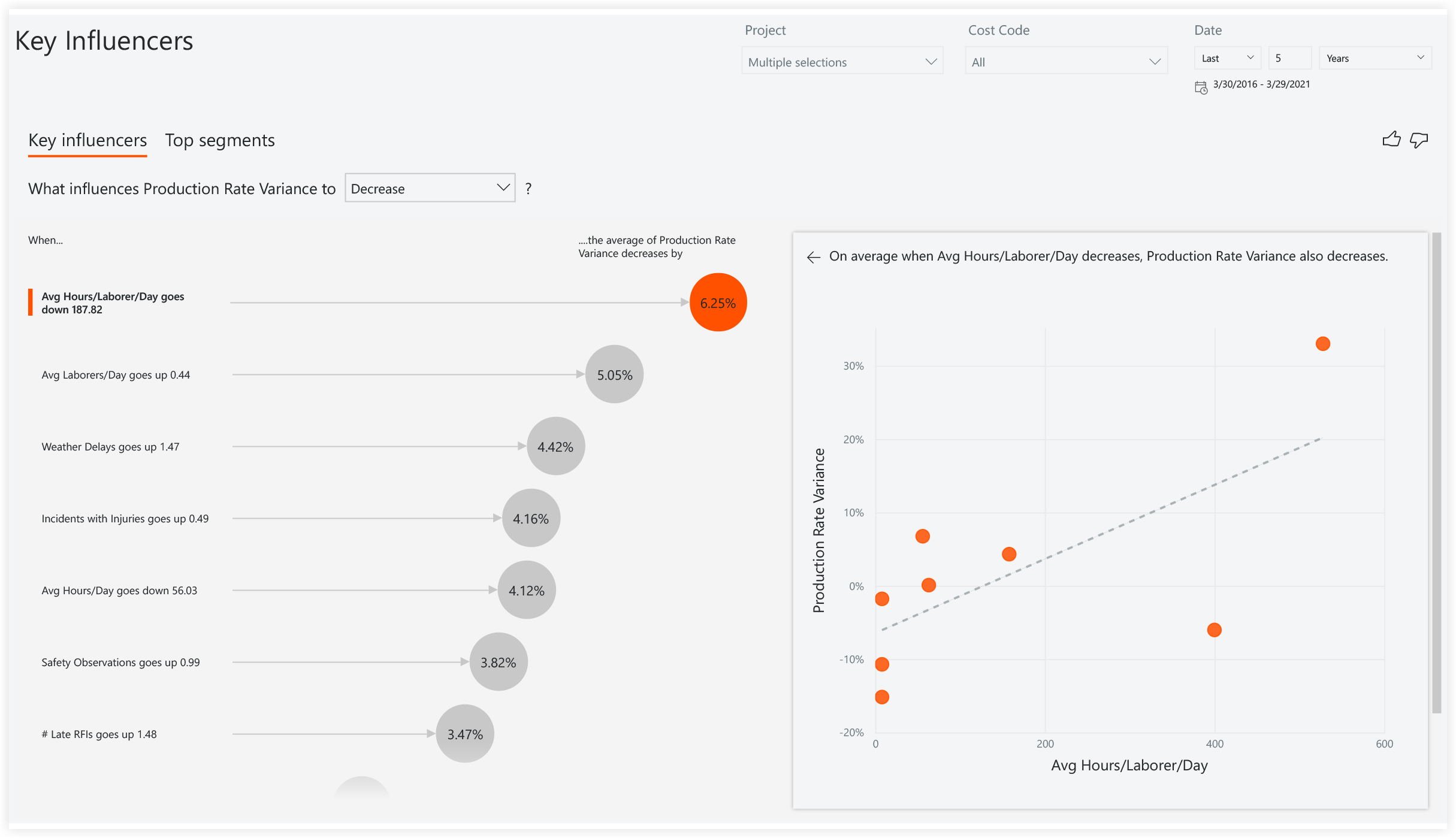
Key Influencers
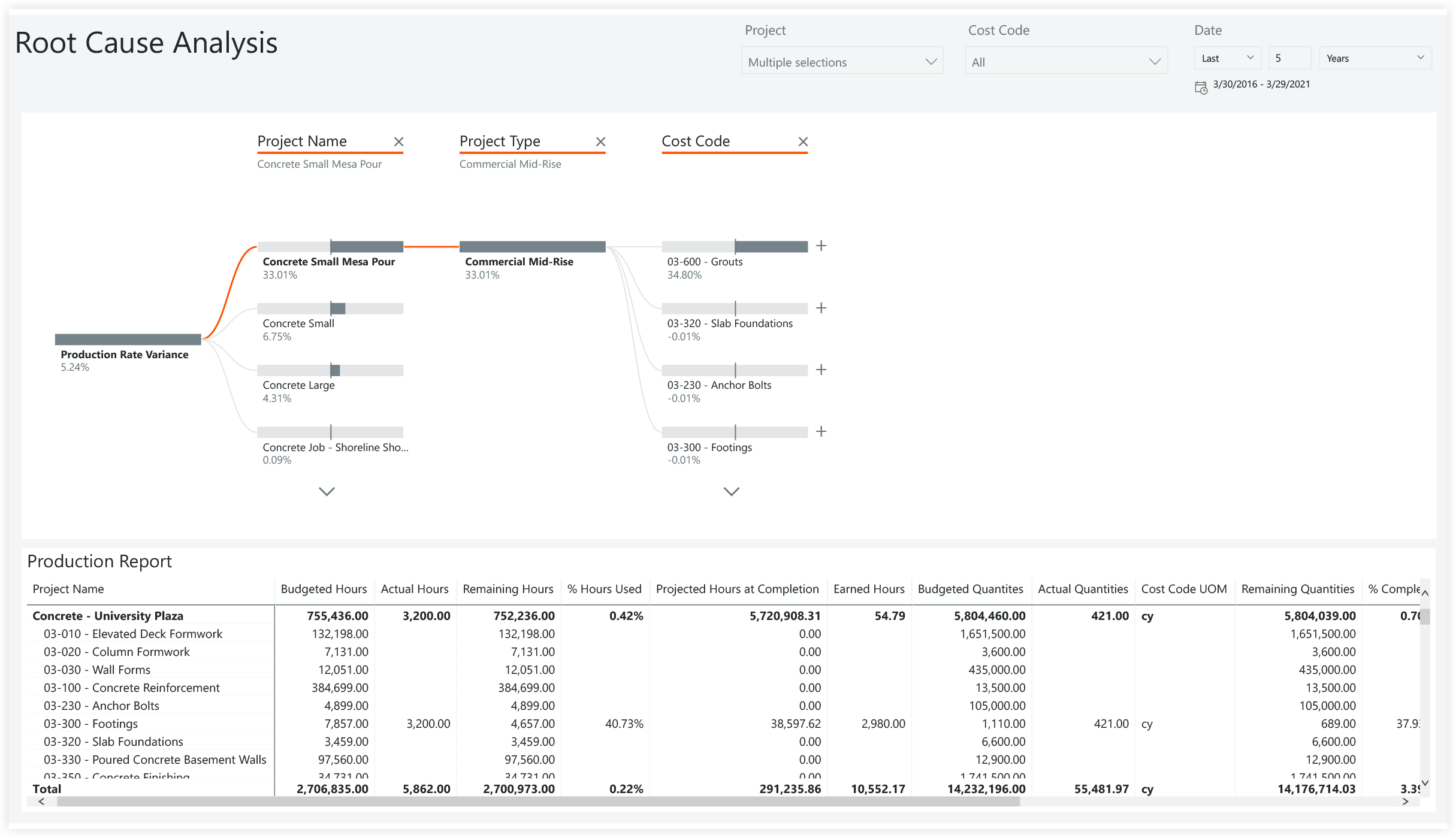
Root Cause Analysis
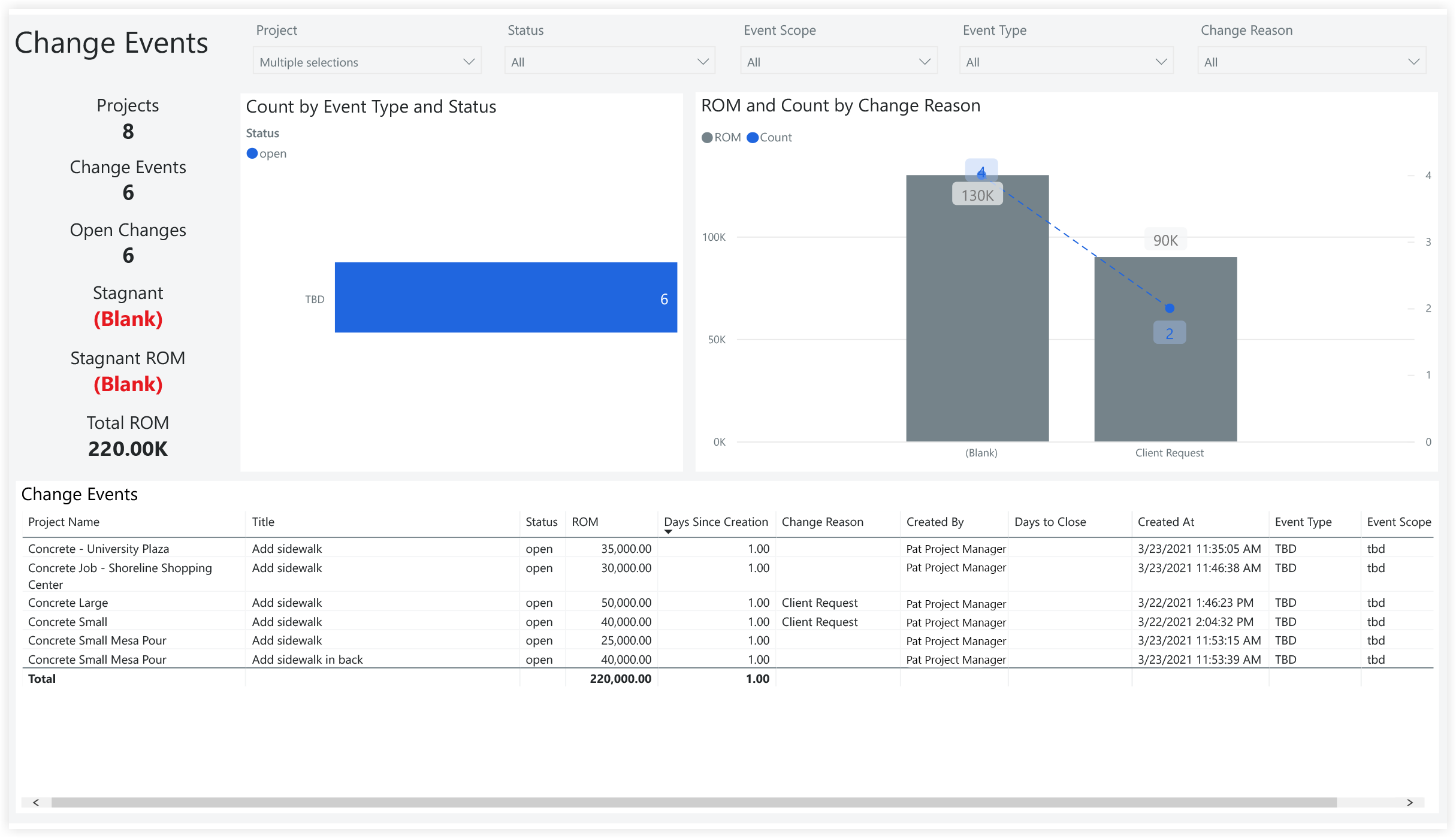
Change Events
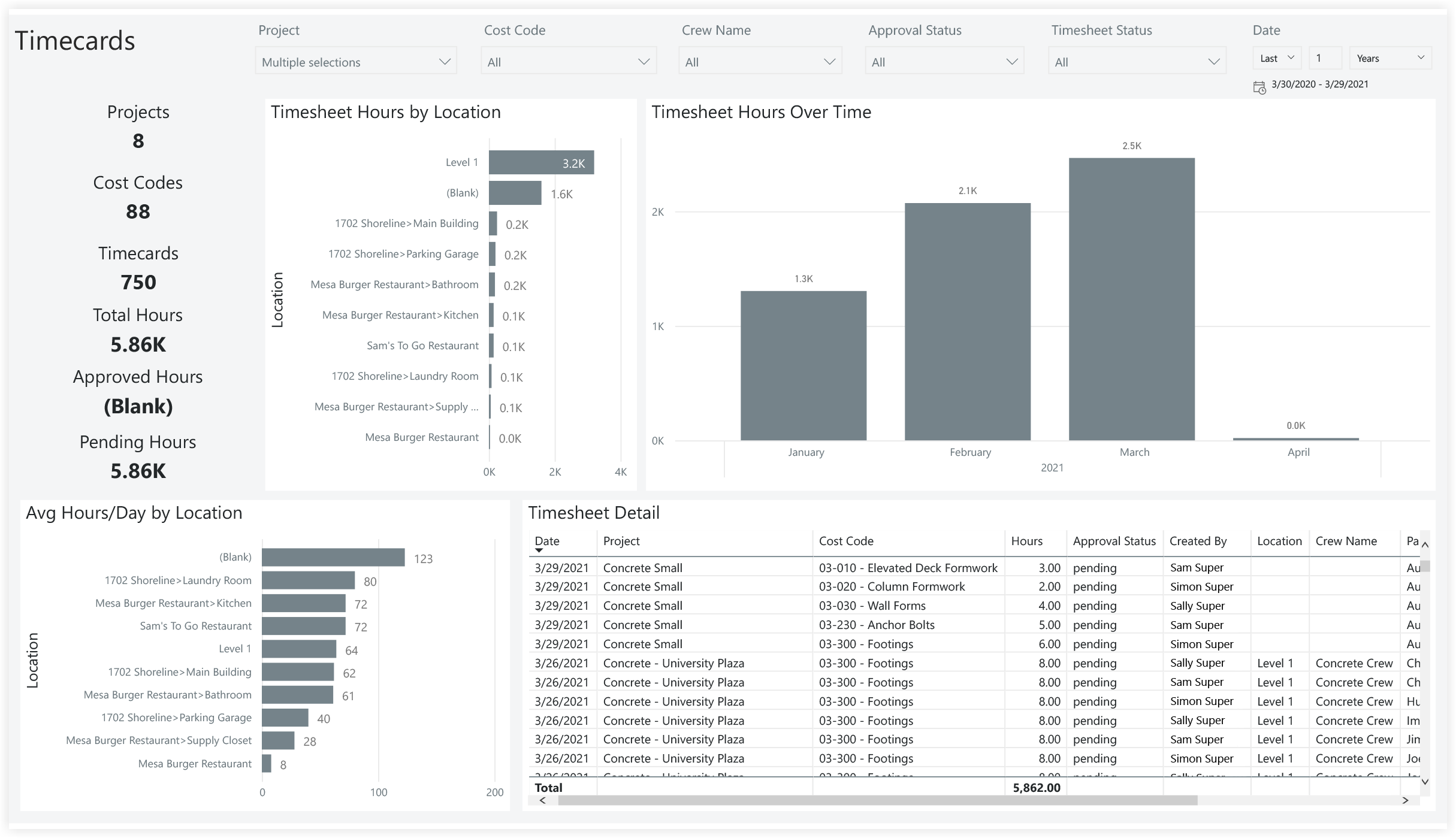
Timecards
Quantities
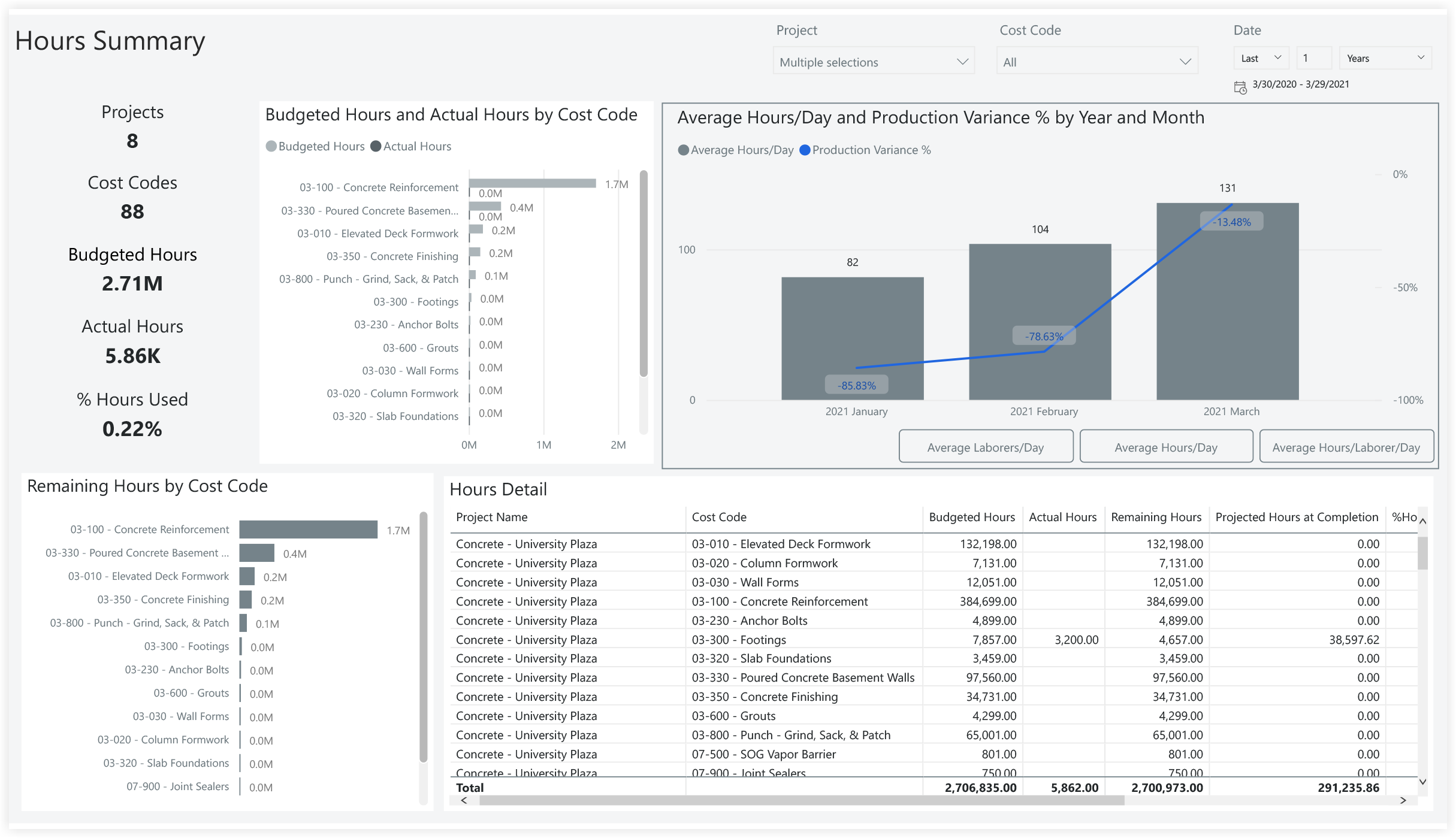
Hours
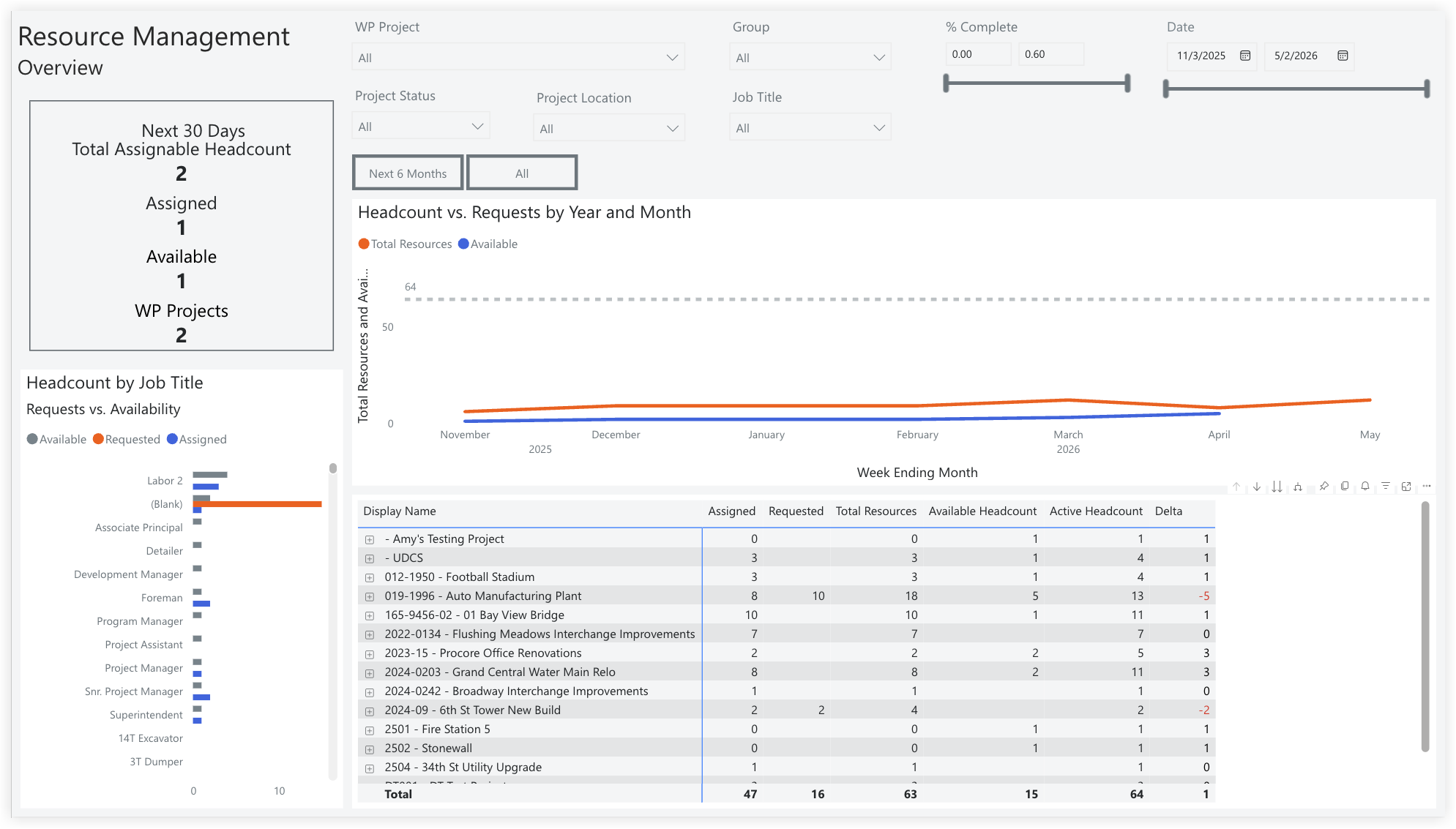
Resource Management Overview
The Resource Management Overview report page provides a quick, actionable overview of immediate resource capacity and future demand across all projects. It tracks your Total Available Headcount versus current assignments, alerting you instantly to project-specific staffing shortfalls (Delta). Use this report page to proactively manage staffing levels and ensure critical roles are filled.
Planned vs. Actuals
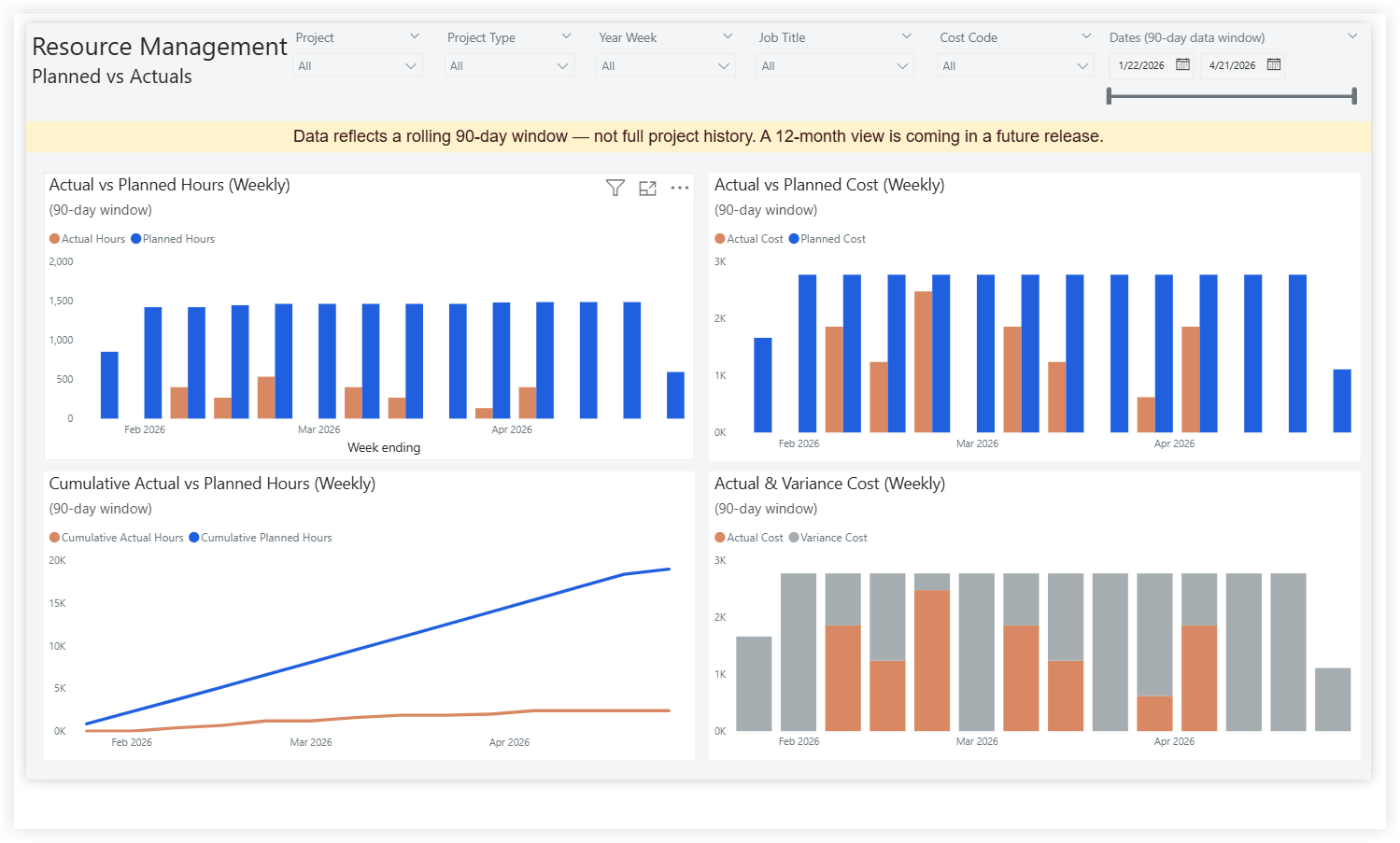
The Planned vs. Actuals report page provides Resource Management teams with a week-by-week comparison of forecasted resourcing against actual project allocations over a rolling 90-day window. The page displays planned versus actual hours and planned versus actual cost side by side, along with a cumulative trendline and a variance breakdown. It helps resource managers and project leaders quickly identify where crews are under- or over-utilized, where cost is drifting from plan, and how the gap between planned and actual effort is trending over time.
Note
-
Data reflects a rolling 90-day window, not the entire project history. A 12-month view will be available in a future release.
-
Cost is calculated using the hourly rate associated with each employee's job title. If an employee is missing a job title, their hours cannot be converted to cost and will be excluded from the planned and actual cost visuals.
-
To ensure complete cost reporting, confirm that every employee has a job title assigned in the Company Directory. See Edit a User Account in the Company Directory.