

Edit a Daily Log Entry
| Previous | Current Lesson - 5/25 | Next |
- Navigate to your project's Daily Log tool.
- Navigate to the date you want to edit a daily log item for.
- Scroll to the section you want to edit.
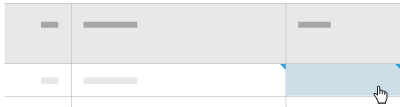
- Click into an editable field.
Note: An editable field will turn blue when you hover over it.
- Edit the field as needed. Entries cannot be edited on a day that has been marked as complete. If an entry needs to be edited, an 'Admin' user can Re-Open a Daily Log.
- Click outside of the field to save the changes.