

Constructability Review Observations
Quality – Standard Operating Procedure
Q-SOP-100
Procore Constructability Review Observations
OBJECTIVE
- The purpose of this standard operating procedure is to explain the process of creating a "Constructability Review" observation in Procore. Constructability Review Observations are generally completed as part of the preconstruction process by preconstruction personnel, operations personnel, and/or the QA/QC Department. Constructability Review Observations that are not addressed in the Precon process will need to be resolved in operations prior to the buy-out.
PROCESS
- Admin
- Send out a notification (email) or schedule a meeting to discuss the Constructability Review process of a given project with any/all required participants (Operations VP, or PM, QC Dept. Precon personnel, etc.) in order to set a plan to define the following:
- Determine due dates for deliverables
- The due date for all Observations – to be assigned/sent to Observation Manager
- Date of formal transmission to A/E & O – once reviewed by the Observation Manager
- Identify which KAST staff are participating
- Identify trade responsibilities
- Identify KAST staff (Typically Lead Estimator of the project) that will be the Observation Manager
- This is the person who will ultimately hit "send" to the Architect
- All reviewers are to assign Observations to the Observation Manager
- Determine due dates for deliverables
- Review the intent to utilize the Observation tool and this process with the A/E prior to beginning.
- The Lead Estimator who is overseeing the GMP needs to ensure that all team members understand which items they are responsible for and verify that all the items are closed if they can be. This should be done prior to finalizing the GMP.
- The goal is to ensure that the preconstruction teams close the loop and get Constructability Review items answered and closed. All Constructability Review observations must "tell a story" and must not just be closed without explanation. A comment must be included within the Observation as to why it is closed or open to track its progress to resolution. There should not be a list of open observations for the field/Ops teams to try to figure out once GMP is signed and the project is turned over to Operations.
- Send out a notification (email) or schedule a meeting to discuss the Constructability Review process of a given project with any/all required participants (Operations VP, or PM, QC Dept. Precon personnel, etc.) in order to set a plan to define the following:
- Process
- Each reviewer creates "constructability review" observations pinned to plans.
- Select "trade" for anything MEPF, Civil, Landscape, or Structural
- Architectural "trades" can be left blank
- Place pins on the drawings for each Observation (may be more than one drawing)
- Drawing snapshots for each pin will appear on the report
- Markups placed on drawings won't appear (there is a workaround for critical markups)
- The report includes a link to the drawing where markups are visible
- Drawing snapshots for each pin will appear on the report
- Attach any relevant files to the Observation (cut sheets, details, etc.)
- PDF Observation attachments WILL NOT appear in the report
- The report includes a link to the Observation, where attachments are accessible through Procore
- JPG Observation attachments WILL appear in the report
- Best practice - include screenshots of the model and/or details/assemblies to provide A/E & O with the context of the Observation made
- KAST staff assigned to the Observation Manager
- KAST needs to determine who on the team is the Observation Manager -Typically the Lead Estimator
- Once ready to submit, the Observation Manager can bulk-edit the assignee to the lead Architect.
- The best practice is to meet internally to determine high-priority items for review with A/E, then schedule a Constructability Report Review meeting with A/E & O (others as applicable) to provide context and walk through the report of constructability review observations.
- Prioritize items based on cost/impact/risk.
- Determine when to send Constructability Review Observations to the A/E
- On the agreed-upon date, send the Observations to the Architect
- The issuance of these observations may occur before or after the Constructability Report Review meeting
- In order to ensure the Architect gets just one notification email for the entire list
- Bulk edit to
- Set assignee to Lead Architect
- Set due date
- Set status to "initiated."
- Click "update."
- Bulk edit to
- On the agreed-upon date, send the Observations to the Architect

- At the top of the Observation tool, click "Send all XX items."

- Deliverable
- Observation Report exported from Procore with images
- Include a link to the drawings in an email sent to A/E & O
- The "sort" shown in the Observation tool will be the order of the Observations in the report
- The best practice is to sort by "priority."
- Schedule a meeting with A/E & O to review if not already completed
- Observation Report exported from Procore with images
- A/E Process
- A/E can re-assign to sub-tier consultants based on "trade."
- KAST can also do this if we know the players
- A/E responds to all Observations
- Can do
- Will do
- Won't do
- A/E can re-assign to sub-tier consultants based on "trade."
- Post-Revision
- KAST reviewed the updated plan set in Procore
- Identify Observations that have been incorporated and mark them as "closed."
- Ensure a comment is left in Observation stating, "Item was addressed in updated plan set" prior to closing.
- Determine a plan to submit RFIs on additional open items that were not resolved as part of this process.
CREATING CONSTRUCTABILITY REVIEW OBSERVATIONS
- Things to Consider
- Pins will appear on the report, but markups won't (there is a workaround for critical markups)
- The report includes a link to the drawing where markups are visible
- Observation pdf attachments will not appear in the report, but image attachments will
- The report includes a link to the Observation, where attachments are accessible through Procore
- Assignees
- KAST staff assigned to Lead Estimator
- Once ready to submit, the Lead Estimator can bulk-edit the assignee to the lead Architect.
- Pins will appear on the report, but markups won't (there is a workaround for critical markups)
- Create "Constructability Review" Observations to Plans
- Open Drawings in one window/monitor
- Open Observations in another window/monitor

- Create Observation
- A type must be "Constructability Review."
- Title is required
- Number will auto-populate
- Be detailed in your description
- Add attachments (details, photos, product cut sheets, etc.) as desired
- Select "trade" for anything MEPF, Civil, Landscape, or Structural
- Architectural "trades" can be left blank

- Refresh the drawing window
- Drop Observation Pin


- Type Observation #

- Publish markup
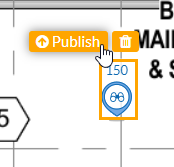
- Refresh the Observation window in the Browser
CLOSURE OF OBSERVATIONS
- Constructability Review Observations created during the Preconstruction Phase of the project can be an invaluable treasure trove of information for the Operations team and should be viewed as such (these are not a "burden" but a "blessing"). All members of the Operations Staff must review and understand these items, check them against the plans to verify that they have or have not been incorporated, and check against the Qualifications and Assumptions in the Prime Contract and subcontracts or trade scope sheets.
- The estimator assigned to each trade is responsible for returning to the Observation, verifying that it was corrected in the GMP plans, and closing out the Observation.
- Before closing out the Observation, please make a note in the Observation that you verified it was corrected and, therefore, close the item. If it was not corrected because the design team did not want to incorporate it or the Owner didn't want to spend the money to incorporate the suggestions/recommendations, whichever the reason, state that in the observation note and then close the item.
- Observations Incorporated into Plans
- For Preconstruction Constructability Observations in Procore that HAVE been incorporated into the plans, you may close out the Observation with a comment indicating the same. e.g., "This item has been incorporated into the Rev 5 plans dated 12/25/21 on sheet A-101 and S-101, and details A-412."
- Observations Not Incorporated into Plans
- For Preconstruction Constructability Observations in Procore that HAVE NOT been incorporated into the plans, it is best practice to create an RFI to submit to the A/E for tracking and resolution. The Observation may be closed once the on-site staff has submitted the RFI, as the tracking method is now via the RFI and not the Observation, with a comment indicating the same. e.g., "This item has been escalated to RFI# 015 Missing Stairwell at Amenity Deck."
- If the item is still unresolved – keep it open. If the detail was not corrected/fixed as it should be --- ask for an RFI during the GMP phase and put that note in the observation section. Please do not close it until the RFI is answered/corrected.
PRIME & SUBCONTRACT Q&A
- Prime Contract Qualifications and Assumptions (Q&A) typically take precedence over all plans and specs, Precon RFIs and Observations, and other exhibits. As such, it is assumed that all operations staff will review the Q&A in the early stages of the project. It is also critical to ensure that any items Qualified to the Owner are included in the relevant Trade scopes and subcontracts.
- Typically, the above guidance for Observations included/not included in the contract set of documents will still apply, even when they have been addressed in the Q&A. However, for those items that have been included in the Q&A but NOT incorporated into the plans, the Operations Staff must submit an RFI requesting not a clarification of the information (it has been made clear in the Q&A) but for the information to be incorporated into the plans.
- The best practice is to review the first post-contract revision for all unincorporated Q&A items and RFIs.