

Key Features
Unified Company-Wide & Personal Ticket Management
-
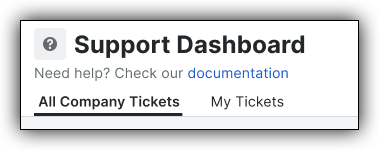
Dual-View Navigation: Toggle seamlessly between All Company Tickets to view organizational support requests across all active projects, or switch to My Tickets for a focused personal queue.
-
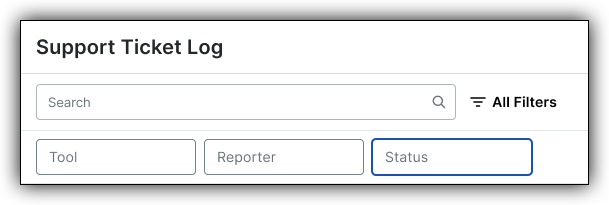
Comprehensive Multi-Column Filtering: Filter tickets instantly by Tool (e.g., Submittals, Change Orders, Documents), Reporter, Status (e.g., Your Action Required, Under Engineering Review, Received), or Project to quickly pinpoint relevant tickets.
End-to-End Ticket Lifecycle & Activity History
-
Full Resolution Visibility: Open any ticket to access complete descriptions, media attachments, support representative comments, and real-time status updates.
Context-Aware Ticket Submission & Auto-Capture
-
Streamlined In-App Form: Submit new tickets without leaving Procore by selecting the affected tool, entering an issue summary, and attaching supporting documentation or screenshots.
-
Auto-Captured Context: System-level details—including the current Reporter, Company, and Active Project—are automatically attached to every submission to eliminate redundant data entry and accelerate support triage.
-
Internal-Only Context Notes: Include private notes alongside support requests to communicate internal routing rules, technical details, or team context without exposing them to external support agents.