

Authorize Direct Sub-Tier Payments
Background
Direct Sub-Tier Payments is a feature that simplifies your billing process by allowing General Contractors (GCs) to pay suppliers or sub-tier contractors electronically. This digital alternative to manual joint checks is designed to help streamline payments to your project partners.
Things to Consider
-
Required User Permissions:
-
The person providing the authorization must be listed as an Invoice Contact.
-
-
Each authorization is tied strictly to the dollar amount listed on the sub-tier waiver.
-
If the billed amount is modified—due to a dispute or correction—the previous authorization is automatically voided.
-
Any new amounts must be re-authorized before Procore Pay can process the sub-tier's payment.
-
-
Funds cannot be disbursed through Procore Pay until the sub-tier's EIN is confirmed. If you encounter an error when inputting the EIN, contact your GC to resolve the discrepancy.
Prerequisites
-
Your General Contractor must have Procore Pay and the Direct Sub-tier Payments features enabled.
-
The GC must mark a sub-tier on your current invoice as a recipient of a joint check. See About Joint Checks with Procore Pay for more information.
-
You must have a billed amount entered for the sub-tier for the current billing period.
Steps
Authorize the Payment Amount
-
Navigate to the specific invoice containing the sub-tiers you want to authorize for direct payment.
-
Click the Lien Rights tab and scroll to the Sub-Tier Payments for This Invoice section.
-
Locate the specific sub-tier receiving payment.
-
If the Amount Billed This Invoice is empty, enter the amount while requesting or uploading their lien waiver.
-
Click Authorize.

-
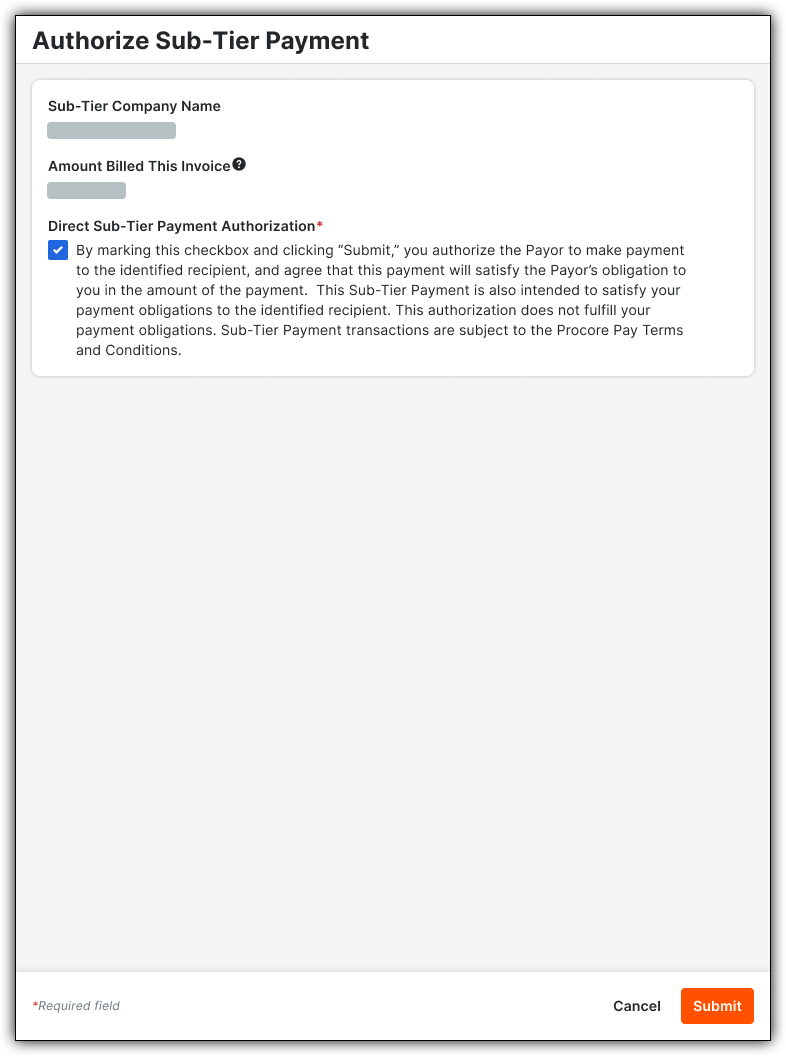
In the panel that appears, mark the checkbox to confirm you authorize the GC to pay the listed amount.
-
Click Submit.
Confirm Sub-Tier EIN
To help verify that the correct entity receives the funds, you will be prompted to confirm the sub-tier's Employer Identification Number (EIN). You only need to confirm the EIN once per sub-tier on each commitment.
-
When prompted after clicking Authorize, enter the sub-tier's EIN.
Note: You can typically find this on their W-9 form.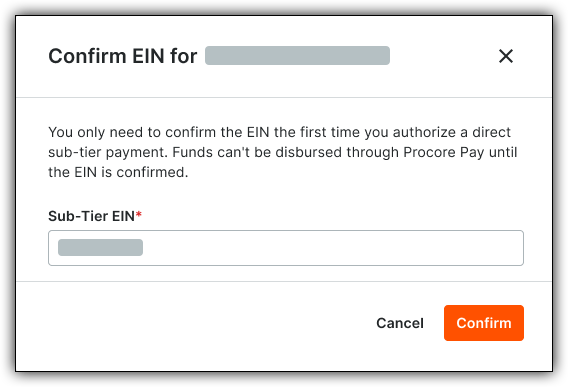
-
Click Confirm.