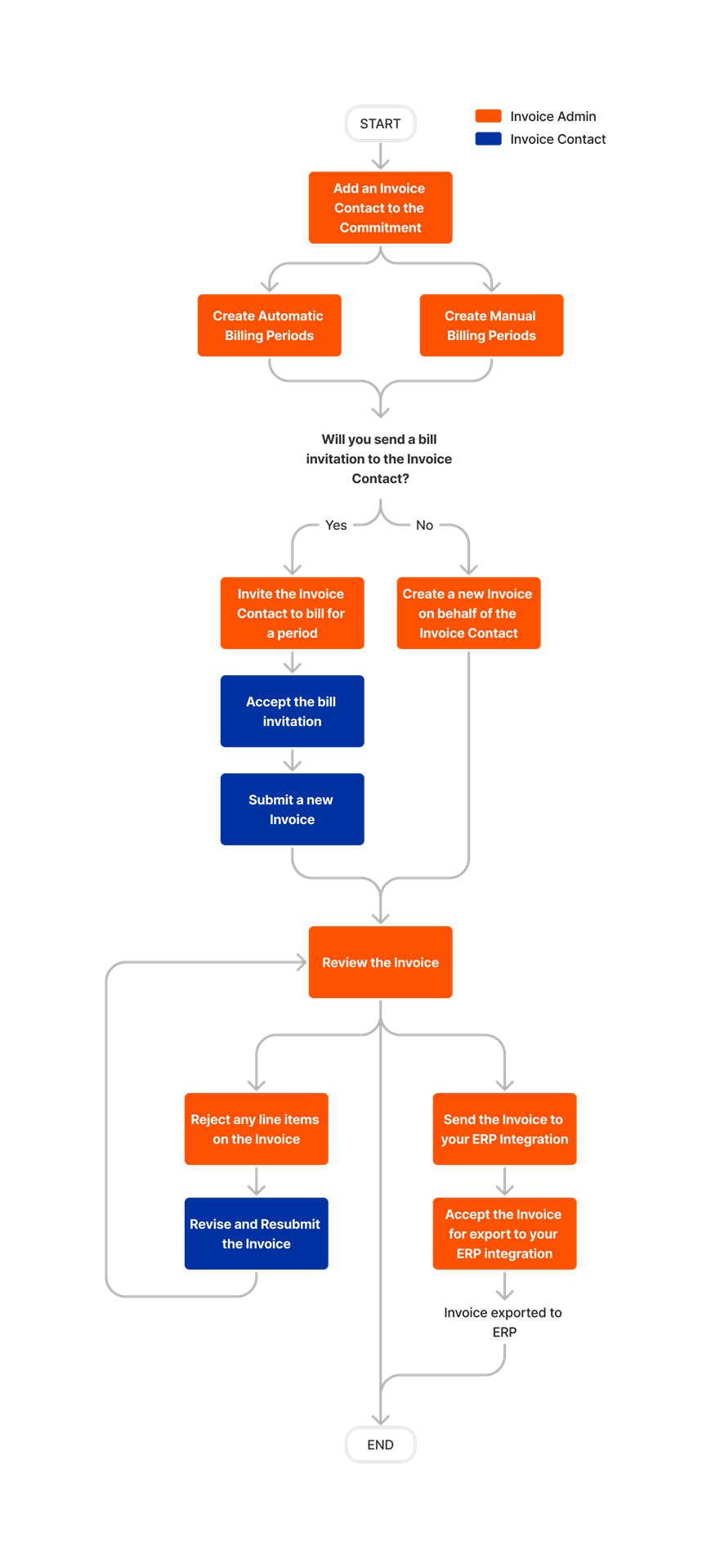
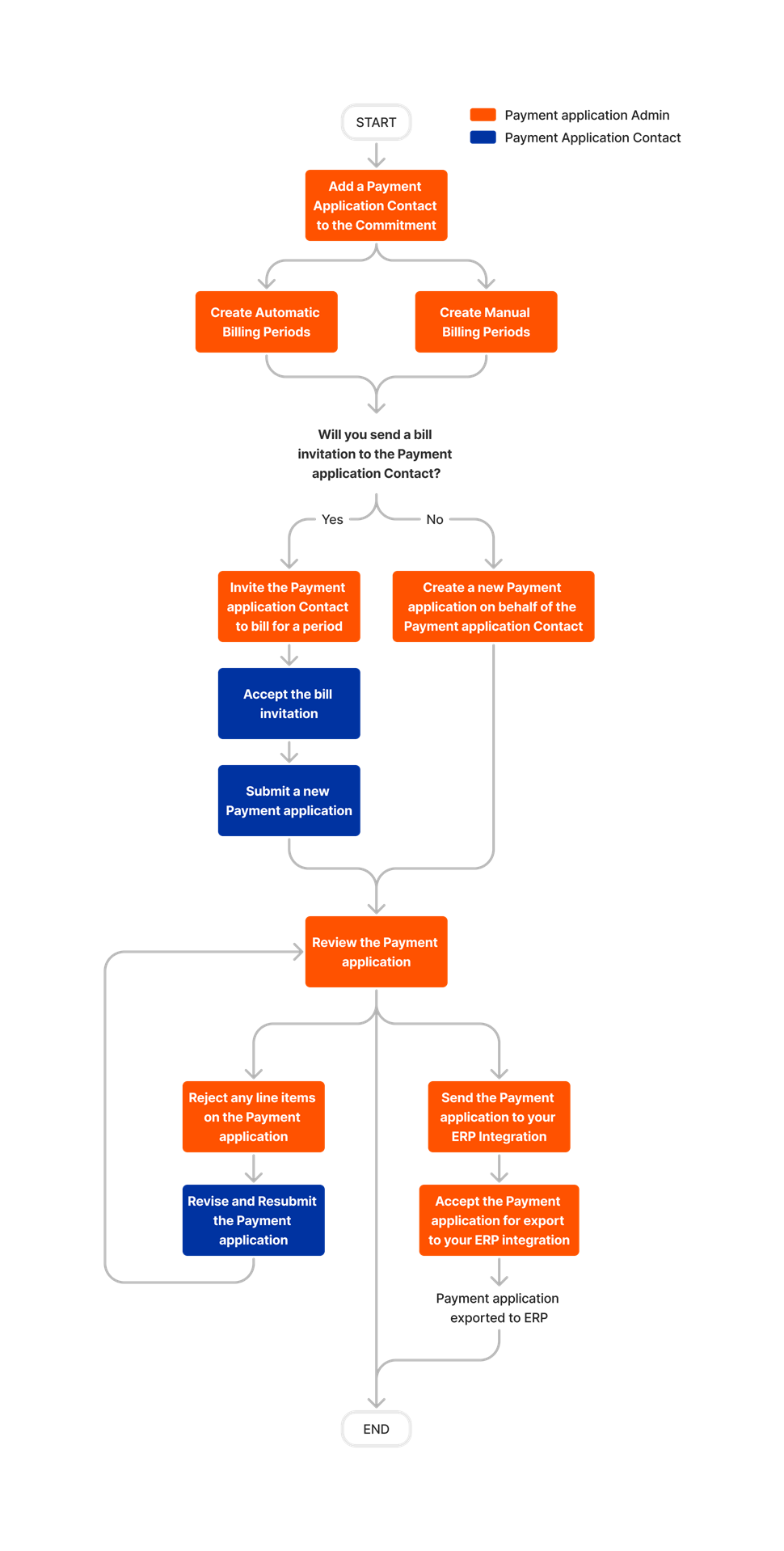
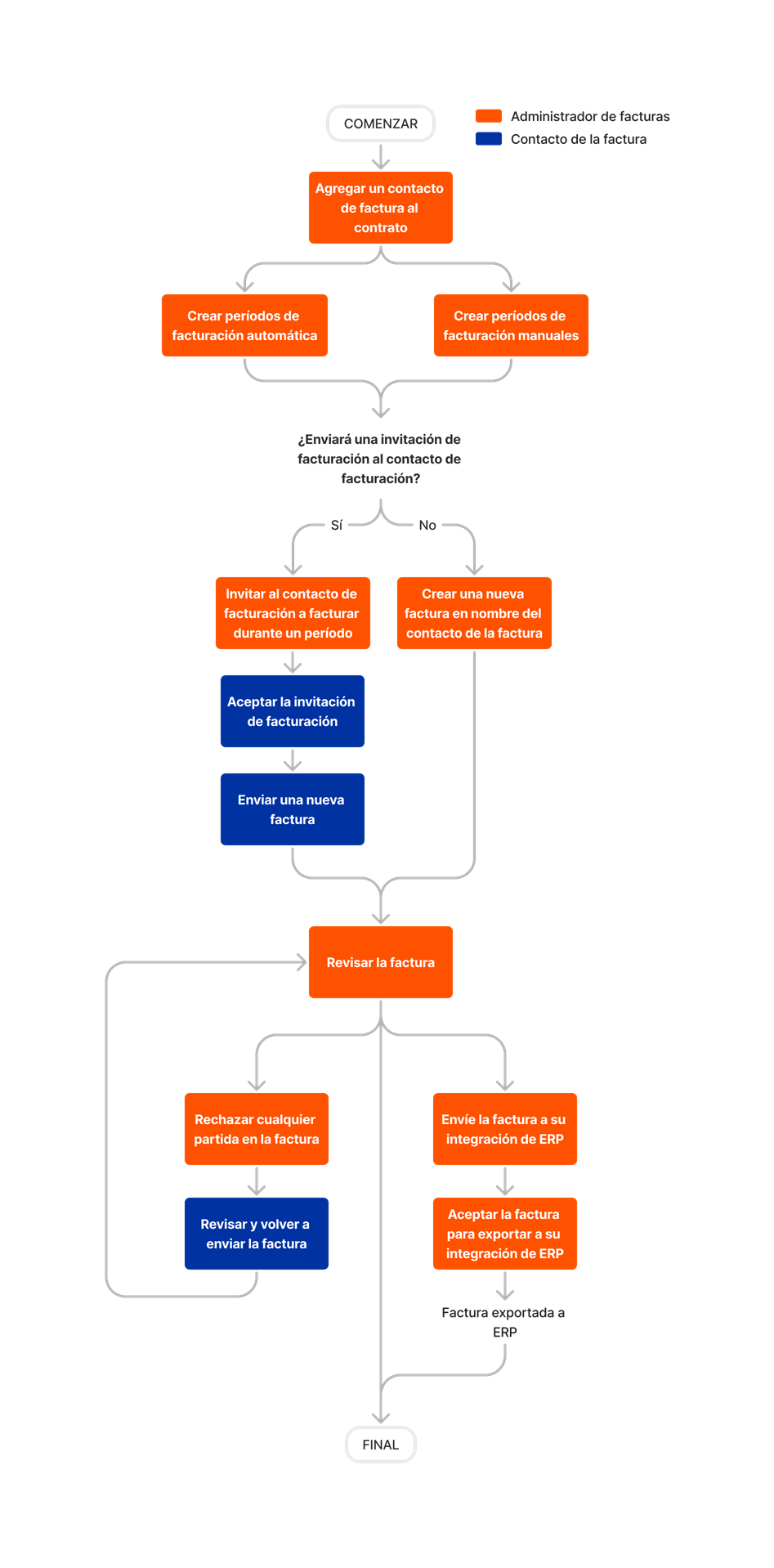
Commitments Tool SOP

The Commitments tool in Procore allows your teams to see the status and current value of all contracts and purchase orders. Easily pinpoint which contracts have been approved or determine the status of invoices and payments. Procore can be customized to produce your company's contract documents to streamline the process and ensure consistency across projects.
- HIGHLIGHTS
-
- View and filter a detailed list of all the financial commitments (e.g., subcontracts, purchase orders, etc.) on a project.
- Create Invoices, Purchase Orders, and Subcontracts and share
- Add 'Standard' level users to a distribution group to share relevant commitment information with that group by email.
- Print and export information to PDF.
- Allow vendors to create and submit their progress billings.
Company Best Practices/ Intro
Project Managers:
Superintendents:
|
Subcontractor Invoices
|