Skip to main content
- Navigate to the project's Bidding tool.
- Select the bid package for which you want to send a new correspondence.
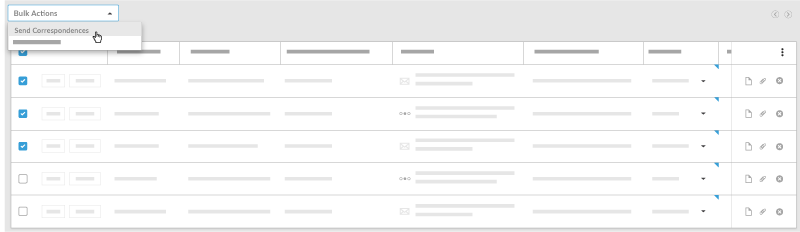
- Select which companies you want to send correspondence to by marking the checkbox at the beginning of the row.
- In the Bulk Actions drop-down, select Send Correspondences.
- On the New Correspondence page, enter the following:
- Subject: Enter the subject of the correspondence.
- Attachments: Select any relevant attachments.
Note: Bid documents will be automatically attached to each correspondence.
- Message: Enter any text for the correspondence.
- Click Send.

