

Release to Drill Notification
Objective
Release to Drill Notification is created by the Compliance Team to notify Drill Contractor of project readiness. This process in Procore will facilitate communication between the two teams and keep the information attached to the specific project for visibility.
Steps
1. From the Project Tools dropdown, select Correspondence.

2. On the Correspondence page, click +Create and select Release to Drill Notification.

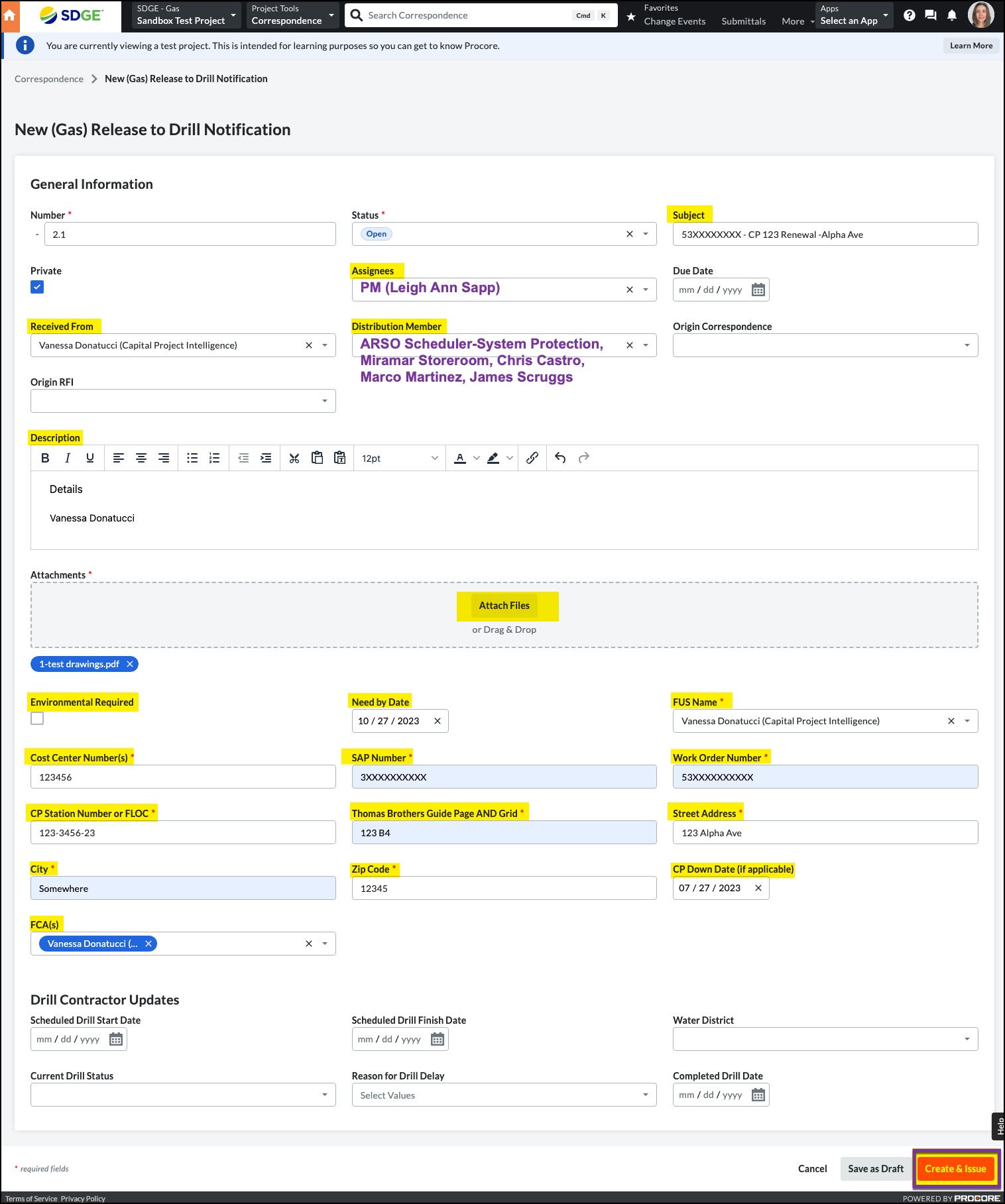
3. Complete the following fields plus any fields marked with an asterisk:
- Subject Should always be work order number (no # sign) CPXXX - Project Name. EXAMPLE: 530000272738 - CP 274 Renewal -Montgomery Ave
- Assignees PM (Leigh Ann Sapp)
- Due Date (OPTIONAL)
- Received From (This should be YOU)
- Distribution (ARSO Scheduler-System Protection, Miramar Storeroom, Chris Castro, Marco Martinez, & James Scruggs)
- Description (This is for any additional useful information regarding the project)
- Need By Date
- Once you have completed all necessary fields, click Create & Issue at the bottom. This will generate an email notification to everyone in Assignees, Received From, and Distribution.
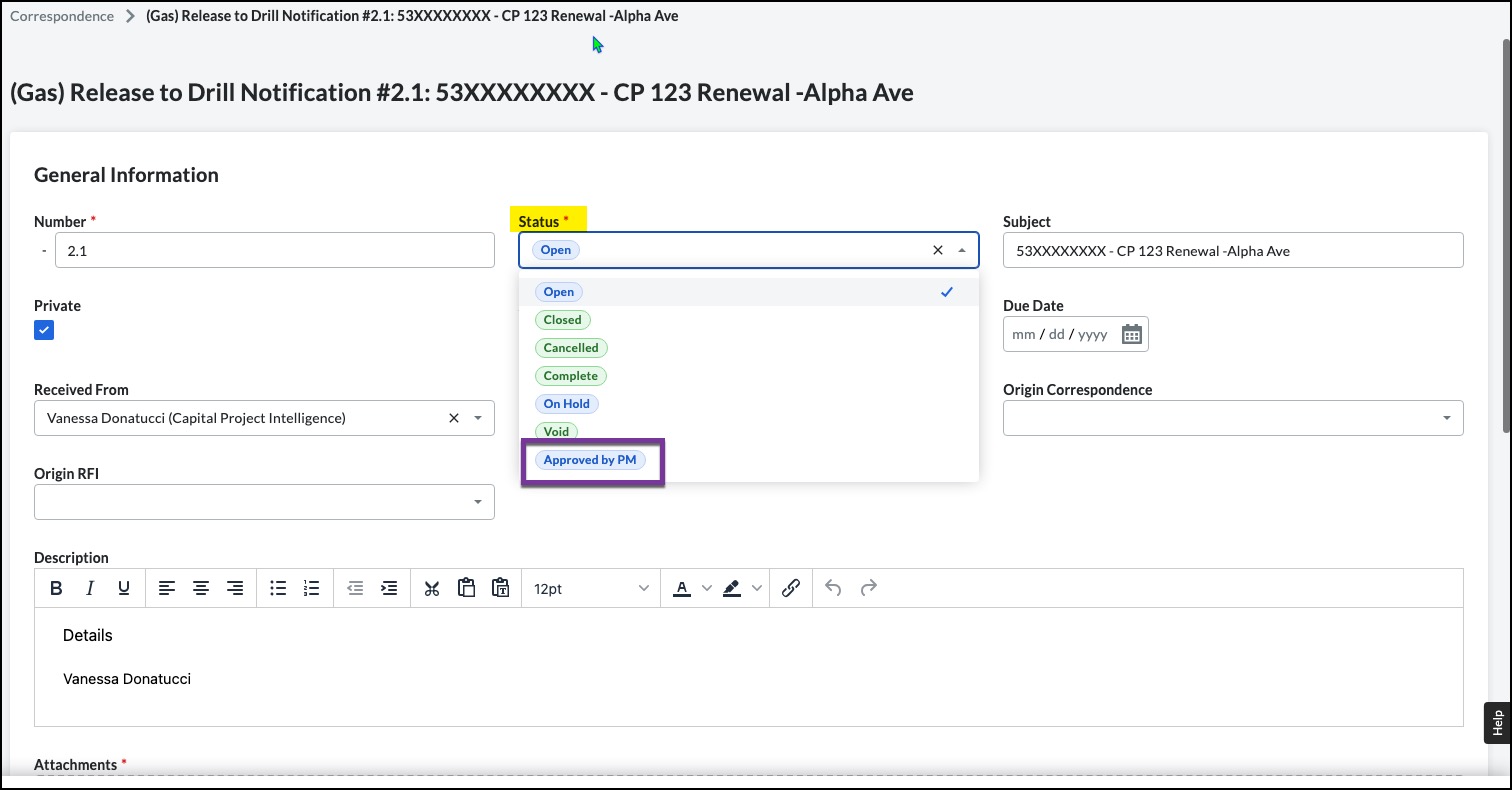
4. Once the PM reviews, they will edit to add the appropriate drill team members by adding the drilling company Distribution Group and remove themselves into the Assignees field. They will also edit the status to Approved by PM.

5. Once they have made these edits, they will click Save and a notification will go to the drill team.
6. All communication internal and external regarding drilling should be completed in the Activity section of the Correspondence form. Simply type and add attachments as needed, then click Post Response. This will generate an email notification to everyone in Assignees, Received From, and Distribution. It will log all communications in the form.

7. Once all drilling has been completed, you need to close the Correspondence. The easiest way is to Bulk Edit by clicking the box next to the specific Release to Drill Correspondence (as there should only be one per project) and click Bulk Edit at the very top left of the Correspondence page.


8. In the Bulk Edit Correspondence box that opens, select Status, choose Closed from the dropdown and click the Apply button. It will automatically close the selected Release to Drill Notification correspondence.
