

(Gas) GCC Construction Job Tracker (Workflow)
Objective
The (Gas) CM Construction Job Tracker is created by the CMS to track the progress of administrative phases of the project.
Workflow
_CM_Construction_Job_Tracker_Worker.jpg?revision=1&size=bestfit&height=1225)
Steps
1. In the project, navigate to the Action Plans tool from the Project Tools dropdown.

2. Click the orange +Create button in the upper right corner and select (Gas) CM Construction Job Tracker.

3. The CMS will populate the following fields:
- General Information - Plan Manager - CMS Name
- Section 1.1 Assignee - Construction Manager Name
- Section 2.1 Assignee - CMS Name

4. When adding the Assignee, the following pop-up will appear. Leave "Assignee signature required to release rest of plan" checked.

5. Click the dropdown at the Assignee field and search the name in the Search box.

6. Once the correct name is entered, leave the Hold Point as the verification method with the required box checked, then click Save.

7. Once Assignees have been successfully added to lines 1.1 and 2.1, scroll to the bottom and click Publish. This will send an email notification to the Construction Manager.

8. Once the The Construction Manager has determined the FCA and the Construction Contractor, they will edit the Action Plan to add the FCA name into line 3.1 and the CMS into line 4.1. Click HERE for how to add assignees.


9. Once Sections 3.1 and 4.1 have had the FCA and CMS added, the Construction Manager will sign the plan by clicking the signature line with their name,

10. The signature popup will appear.

11. Use the mouse to make a signature, then click Save.
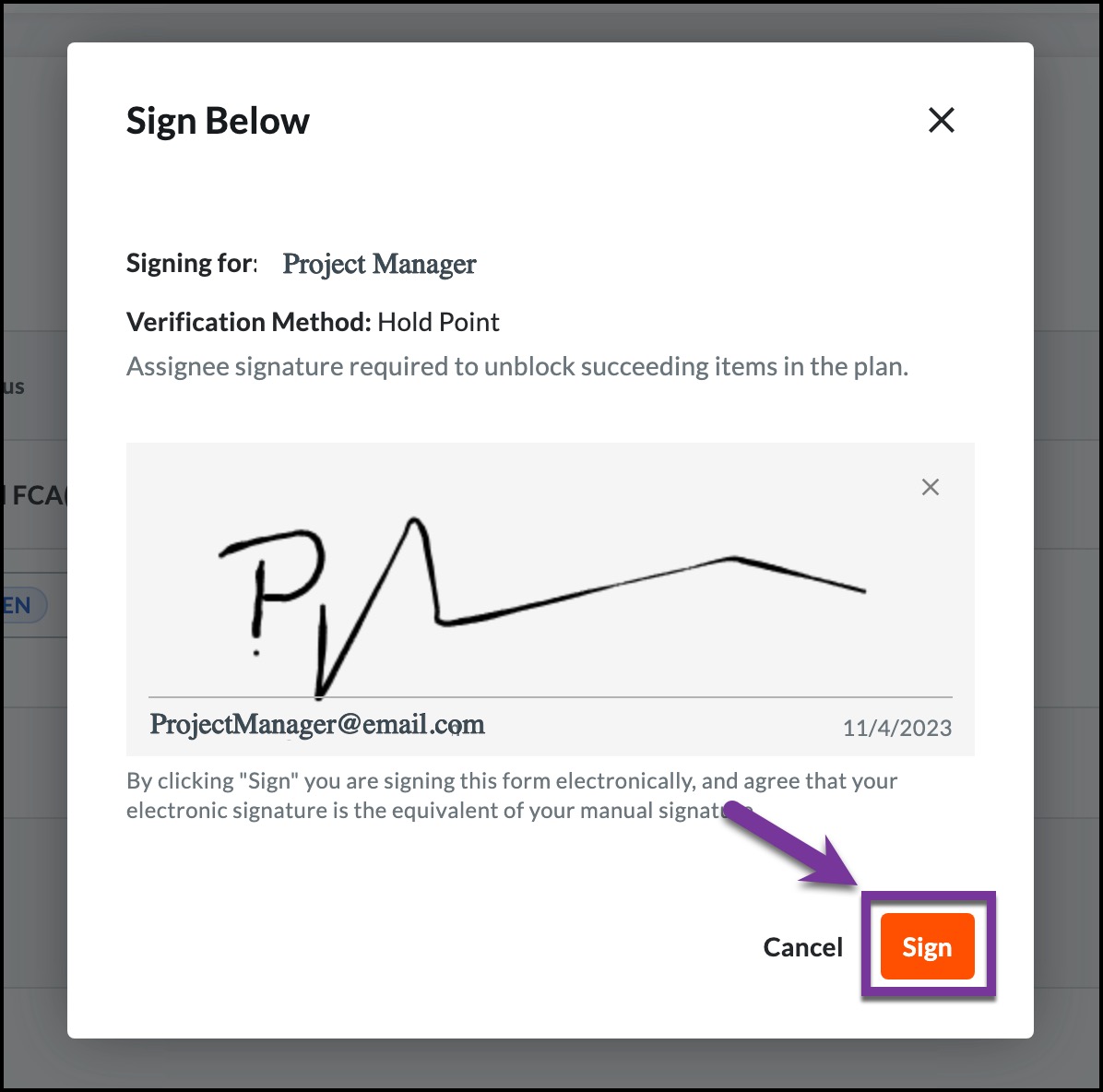
12. This will update the status to closed for Section 1.

13. Once construction is complete and the FCA pre-approves the as-built, they will sign off on line 3.1 to signify as such. Click HERE for how to complete a signature.

14. Once the FCA signs and saves, Section 3 will show as Closed. This will progress the plan to the CMS. The CMS will sign once they have received the gard copy of the as-builts. Click HERE for how to complete a signature.

15. Once all Sections of the plan have been closed, the CMS can officially change the status of the tracker to Closed by navigating to the status field and chnaging it Closed.

19. The plan will then be completed.
