

FUS Complete Internal Design Submission Milestone
Objective
Once a Procore project has been created, a Technical Supervisor will create an Internal Design Submission Milestone action plan. The FUS will sign off as each action of the design phase is completed.
Steps
1. You will receive and email notification that you have been assigned to an Internal Design Submission Milestone action plan and it will show in your My Open Items feed. The plan will look like below with all applicable steps for the project with a status of Open.

2. Once you have completed the requirements of the line item in the Action Plan, click on your name.

3. A popup box will open. Use your mouse to make your signature then click Sign.
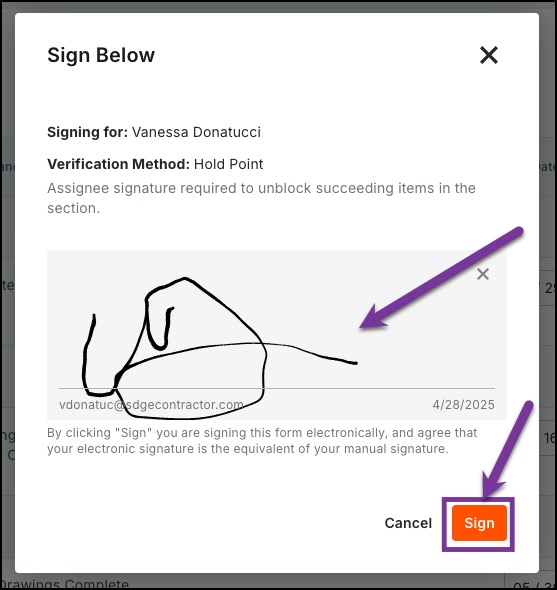
4. Once your signature is registered, the next line item will show as Open. Complete each line item and sign off until the entire plan has been completed.

5. The plan will appear as below once you sign at the very last line.

6. Go up to the Status in the General Information section and update the status to Closed.
