Update a Shipment
Objective
To update information about a shipment in the Materials tool.
Things to Consider
- Required User Permissions
- To edit a shipment, the 'Shipment Document' status must be set to 'Pending'.
- To create a receipt, the 'Shipment Document' status must be set to 'Release'.
Steps
- Navigate to the project's Materials tool.
- Click the Control tab.
- Click the Shipments sub tab.
- Click the shipment number.
- Edit the following information:
- Destination and Vendor
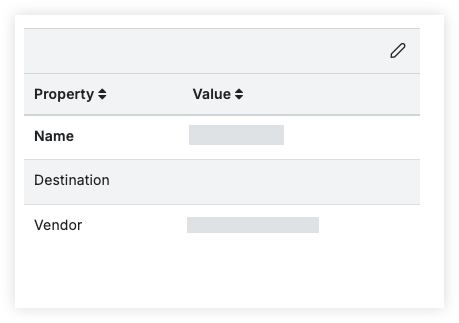
- In the 'Properties' menu, click the edit
 icon.
icon. - Click the value for the 'Destination' field and enter the destination.
- Click the value for the 'Vendor' field and enter the vendor.
- In the 'Properties' menu, click the edit
- Status

- Click the status next to 'Document Status'.
- Select Release when the items have been shipped and are in transit.
- Select Hold to put it back into a 'Pending' status.
- Click the status next to 'Document Status'.
- Containers
- Follow steps to Add Materials to a Container.
- Line items
Note: By default, the quantities on the shipments will match the quantities for each line item on the order.- Click the quantity field and enter the quantity.

- Update the estimated delivery date.

- Click the quantity field and enter the quantity.
- Attachments
- Destination and Vendor