Copy Directory From One Project to Another
Objective
To copy users from the Directory of one project to another project.
Background
If you are responsible for creating or managing a project in Procore, you can quickly copy users from the Directory of an existing project to another project. This prevents you from having to enter the user's data manually in situations where all the project team participants have previously been added to one of your company's existing projects.
Things to Consider
- Required User Permissions:
- 'Admin' level permissions on the Project level Admin tool.
OR - 'Read Only' or 'Standard' level permissions on the Project level Admin tool with the 'Update General Settings' granular permission enabled on your permissions template.
- 'Admin' level permissions on the Project level Admin tool.
- Requirements:
- If the 'Copy Directory From' drop-down menu is not visible or available, your company's Procore Administrator will need to submit a request to enable this feature to your Procore point of contact.
- There must be at least one (1) other project in your company account to use as the source project. See Add a New Project.
- There must be at least one (1) user profile in the source project. See Add a User Account to the Project Directory.
- You can copy users from active or inactive projects.
Steps
- Navigate to the Project level Admin tool.
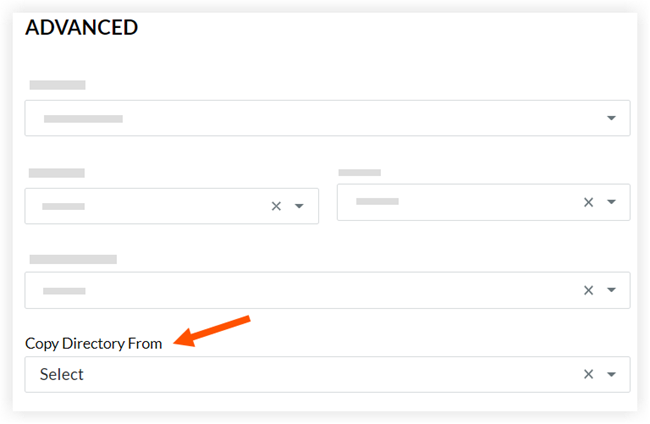
- On the 'General' page of 'Project Settings', select the project you want to copy from the Copy Directory From drop-down menu.
Note: The drop-down menu is located in the 'Advanced' section on the 'General' page.
- Click Update.
The system copies the users from the source project into your current project.