Prequalification Portal
- Last updated
- Save as PDF
The Prequalification Portal tool is designed for Subcontractors or other collaborators to efficiently complete and submit the required prequalification materials to the General Contractor (GC) or Owner.
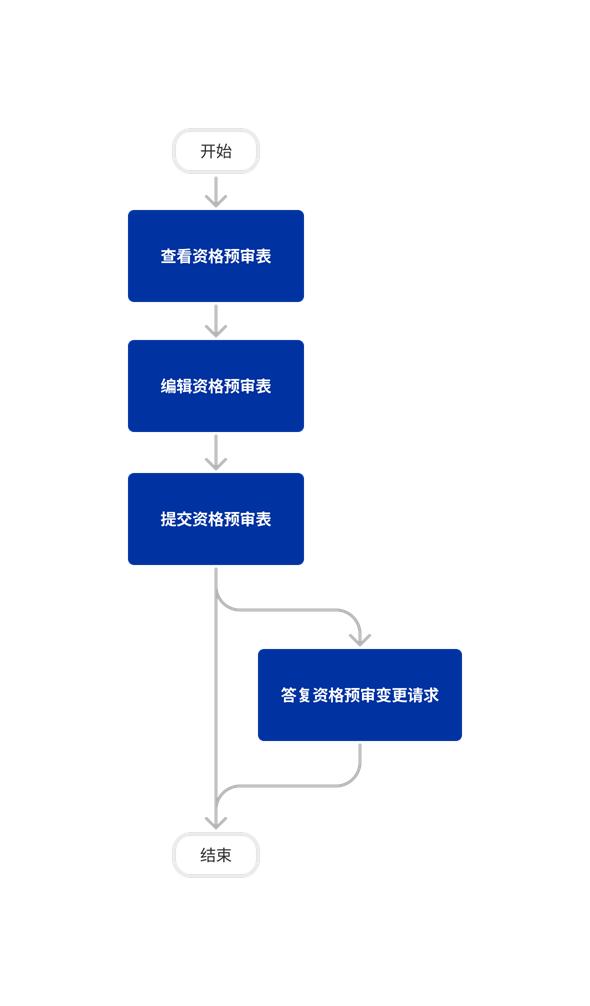
This tool allows you to easily handle all submission actions, including:
- View the prequalification form
- Submit a prequalification form
- Respond to a change request
Popular Tutorials (view all)
There are no items that match your search query.
Tip
To browse and search all Procore training videos, visit our video library.
Submit a Prequalification Form
Prequalification Portal


Prequalification Portal
The following table highlights which user permissions are required to perform the described user action.
Note: Users will only have access to prequalification forms that they have been invited to collaborate on.
Users need to be added to the Company level Directory in order for you to invite them to prequalify. Once they are invited to prequalify, they will automatically be given 'Read Only' permissions on the Prequalification Portal tool.
Below are the notable changes to the company's Prequalification Portal tool.
Recent Changes
No recent notable changes.