

Set the Dashboard View Permissions (Legacy)
Background
You can set permissions to make different Portfolio views available to your end users.
Things to Consider
Steps
-
Navigate to the company's Portfolio tool.
-
Click Configure Settings
 .
. -
Click Dashboard View Permissions.
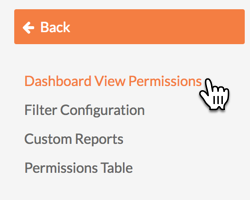
-
For each view, select Read-Only, Standard, or Admin to set the minimum Portfolio tool permission level required to access it.
-
Thumbnails. Gives users the ability to view project thumbnails in Projects view.
-
Portfolio List. Gives users the ability to view the projects on the Portfolio List in the the Projects view.
-
Map. Gives users the ability to view project on a map in the Projects view.
-
Overview. Gives users the ability to view a project overview list in the Projects view.
-
Commitment Summary. Gives users the ability to view the commitment summary under Financial Views.
-
Contract Summary. Gives users the ability to view the contract summary under Financial Views.
-
Contract Variance. Gives users the ability to view the contract variance under Financial Views.
-
Executive Dashboard. Gives users the ability to see the Executive dashboard.
-
Budget Variance. Gives users the ability to view the budget variance under Financial Views.
-
-
Click Update.