Set Up Procore Pay as a Payee
Important
Author notes:
- Log page changes in https://procoretech.atlassian.net/browse/ILR-174
- Content is reused in the Payee Setup Guide
General Availability in Select Markets (United States)
 Procore Pay
  is available in the United States. It is designed for General Contractors and Owner-Builders who act as their own General Contractors on a job. Procore Pay extends the Invoice Management functionality in the Procore web application to handle the payment process between general and specialty contractors.
Objective
To set up the payments tool as a subcontractor to receive payments from a general contractor using Procore Pay.
Background
General contractors can use Procore Pay to pay subcontractors that are invoiced through Procore. As a subcontractor, you can be invited by a general contractor to receive payments through Procore Pay. You can also request to be paid through Procore Pay by general contractors who use the tool. After you have been invited or have made your request, you need to set up a bank account to receive payments for your company.
Things to Consider
- Required User Permissions:
- You must be an invoice contact.
Video
Steps
- Navigate to the project's Commitments tool.
- Under the Contracts tab, locate your commitment contract. Then, click the number link to open it.
- In the commitment contract, click the Invoices tab.
- Locate the invoice and click the invoice number link.
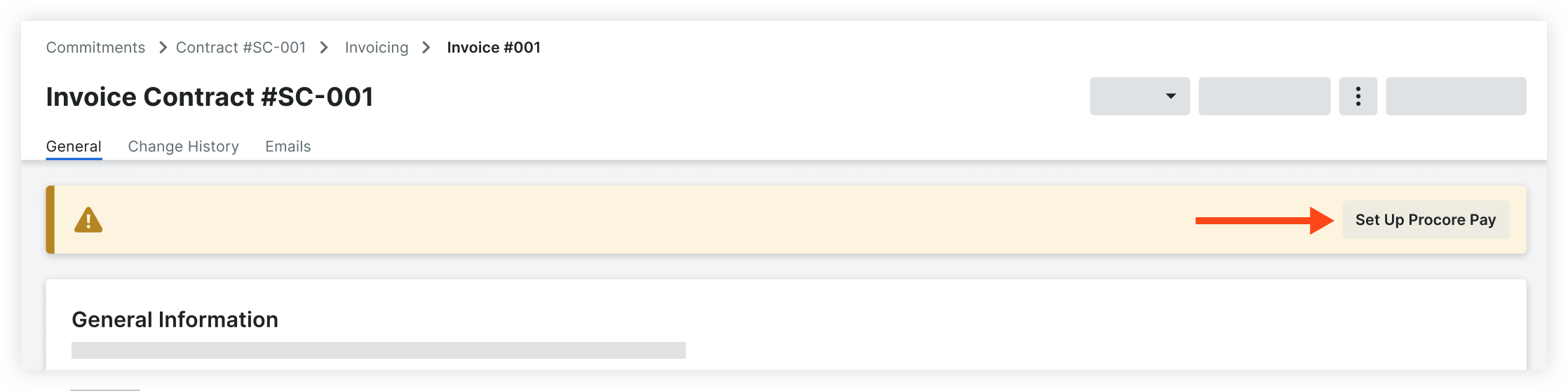
- Click Set Up Procore Pay in the banner.
Note: The banner is only visible if the general contractor is able to make payments through Procore Pay.
- To receive payments through Procore, your company must have its own Procore Company Account. You will be prompted to log in with your existing log in credentials to identify whether you are marked as an employee on an existing free or paid company account. See How can I tell if I have a free or paid Procore company account?
Depending on your account, the following will happen:- No Company Account
- If your company does not have its own free or paid account, you will be prompted to create a free Procore company account and add a bank account.
- Paid Company Account
- If your company has its own paid account and you are marked as an employee, users with 'Company Admin' permissions at your company will receive an email inviting them finish setting up the Payments tool and link a bank account.
- Free Company Account
- If your company has its own free account and you are listed on their Team page, users with 'System Administrator' permissions at your company will receive an email inviting them finish setting up the Payments tool and link a bank account.
- No Company Account
PROCORE SUPPORT: INTERNAL NOTES
If a user is already an employee of the company, after they request Procore Pay, all current 'Company Admins' or 'System Administrators' will have a 'Payment Admin' permission applied to their permission settings on the back end. Current Payment Admins are visible in the Payment Settings.
If the user needs to first be added as an employee, they can search companies and request to join. When they join, they are marked as an employee of that company and assigned a permission level. After they are marked as an employee, the 'Payment Admin' permission is added to all current 'Company Admins' or 'System Administrators'.
Especially for paying customers, it may not make sense for an Invoice Contact to have 'Company Admin' level permissions in Procore. Because the 'Payment Admin' permission is applied to all current 'Company Admins' or 'System Administrators', the Invoice Contact does not need to have 'Company Admin' or 'System Administrator' permissions themselves. Options:
- Another user with 'Company Admin' or 'System Administrator' permissions can take the next step and add a bank account.
- The Company or System Admins can take an additional step to add the user as a Payment Admin. This is an additive permission to their assigned permission template in Procore.