About Early Pay Programs (Beta)
Table of Contents
Overview
Considerations
Payor Details
Key features for payors include the ability to:
- Manage Early Pay Programs in the Payments Tool
- Create Self-Funded Early Pay Programs
- Offer Standard & Preferred Fees to Payees
- Assign Early Pay Programs to Procore Projects in Project Controls
- Manage Early Pay Program Eligibility for Beneficiaries
- Invite Payees to Self-Enroll in Early Pay Programs
- Track Early Pay Program Due Dates on Invoices in Payment Details
- Track Early Pay Program Due Dates in Payments
- View the Change History of an Early Pay Program
- Deactivate Early Pay Programs
Manage Early Pay Programs in the Payments Tool
With Procore Pay, an 'Early Pay Programs' tab is available in the Company level Payments tool. Payment Admins can use the controls in this tab to:
- Create and manage Early Pay Programs. Set the fee and timeline for early payments. This includes setting each program's 'Fees', 'Due Dates,' and 'Status' (Active or Inactive).
- Assign Early Pay Programs to Projects. Create as many Early Pay Programs as needed and assign them to a Procore project. Each project can have one (1) program assigned.
- Switch, Remove, or Deactivate Early Pay Programs. Switch programs offered on projects and remove Early Pay Programs from projects. Programs can also be deactivated at any time.
See About the Early Pay Programs Tab in the Payments Tool.
Example
This is an example of the Early Pay Programs tab in Procore Pay's Company level Payments tool.

Create Self-Funded Early Pay Programs
A self-funded program lets a general contractor use their capital to fund an early pay program to offer to specialty contractors. When creating a program:
- Choose which projects offer self-funded early payment terms.
- Establish standard and preferred rates to offer to eligible payees.
- Control the fees and timeline for early invoice payments.
Once offered, program fees and terms cannot be modified. To change them, deactivate a program and create a new one.
See Create Early Pay Programs as a Payor.
Example
This is an example of the New Early Pay Program page for creating a program in the Payments tool.

Offer Standard & Preferred Fees to Payees
To offer an Early Pay Program to payees, Payors can:
- Classify payees and offer the Standard or Preferred fee. Offer two (2) fees to payees: Standard or Preferred. To apply different fees to different payees, classify them as 'Eligible - Standard Fee' or 'Eligible - Preferred Fee'.
- Exclude select payees from Early Pay Program participation. Exclude payees from participating in a program by classifying payees as 'Ineligible'. This is useful for first-time trade partners or partners with performance issues.
- Set due dates for early payments. Once invoices are approved for payment, pay them on a set day of the month or a set number of days.
See Create Early Pay Programs as a Payor and Manage Participation and Fees for Early Pay Programs as a Payor.
Example
This is an example of a program card in the Early Pay Programs tab of the Payments tool.

Assign Early Pay Programs to Procore Projects in Project Controls
Assign an Early Pay Program to a project when Procore Pay is enabled in Procore. Payment Admins can:
- Assign an Early Pay Program to one (1) or multiple Pay-enabled projects. Use the bulk select option in the Project Controls page of the Payments tool to assign programs to projects.
- Change assignments for one (1) or multiple Pay-enabled projects. Stop offering one program and transition to a new program. You can also choose the 'No Program' option.
- Remove assignments for one (1) or multiple Pay-enabled projects. Remove all participants from a program to stop applying fees to unpaid invoices.
See Assign Early Pay Programs to Procore Projects as a Payor and Remove Early Pay Programs from Procore Projects as a Payor.
Example
This is an example of the Early Pay Program options in the Project Controls page of the Payments tool.

Manage Early Pay Program Eligibility for Beneficiaries
Once Early Pay Programs is enabled, the Early Pay Program Eligibility column appears in the Beneficiaries tab of the Payments tool. To offer payees different fees, payors classify their payees as follows:
- Eligible - Standard Fee. Indicates the payee is eligible for participation with the standard fee.
- Eligible - Preferred Fee. Indicates the payee is eligible for participation with the preferred fee.
- Ineligible. Indicates the payee is not eligible for participation.
See Manage Early Pay Program Eligibility for Beneficiaries.
Example
This is an example of the Early Pay Program Eligibility drop-down list in the Beneficiaries tab of the Payments tool.

Invite Payees to Self-Enroll in Early Pay Programs
Eligible payees who provide goods or services can opt in and out of a project's Early Pay Program. Offering programs on a project, instead of a single invoice, provides collaborators with greater financial insights when forecasting projects.
- Payees can accept or decline early invoice payments for a commitment on their Procore projects.
- Payors can classify payees as Standard, Preferred, or Excluded to control program participation, offer different fees, or exclude payees.
See Manage Early Pay Program Eligibility for Beneficiaries.
Example
This is an example of the Early Pay Enrollment page in the Payments tool.

Track Early Pay Due Dates on Invoices in Payment Details
Once a specialty contractor enrolls in a program, invoice administrators can use Procore's Invoice Management tools to track Early Pay Program status, fees, and due dates using the Payment Details card on a subcontractor invoice. This card is only visible to users who can create, edit, and review subcontractor invoices for a payor.
See Create a Subcontractor Invoice on Behalf of an Invoice Contact.
Example
This is an example of the Payment Details card in the General tab of a subcontractor invoice.

Track Early Pay Due Dates in Payments
Payments Admins and Payments Disbursers can track Early Pay Due Dates in the Payments tool in the Subcontractor Invoices tab. Click the Configure button to open the Filters pane or click the Filters button apply these new filter options to the tab: Overdue Today, Next 7 Days, or a Custom date range.
See About the Subcontractor Invoices Tab in the Payments Tool.
Example
This is an example of the Filters options in the Subcontractor Invoices tab of the Payments tool.

View the Change History of an Early Pay Program
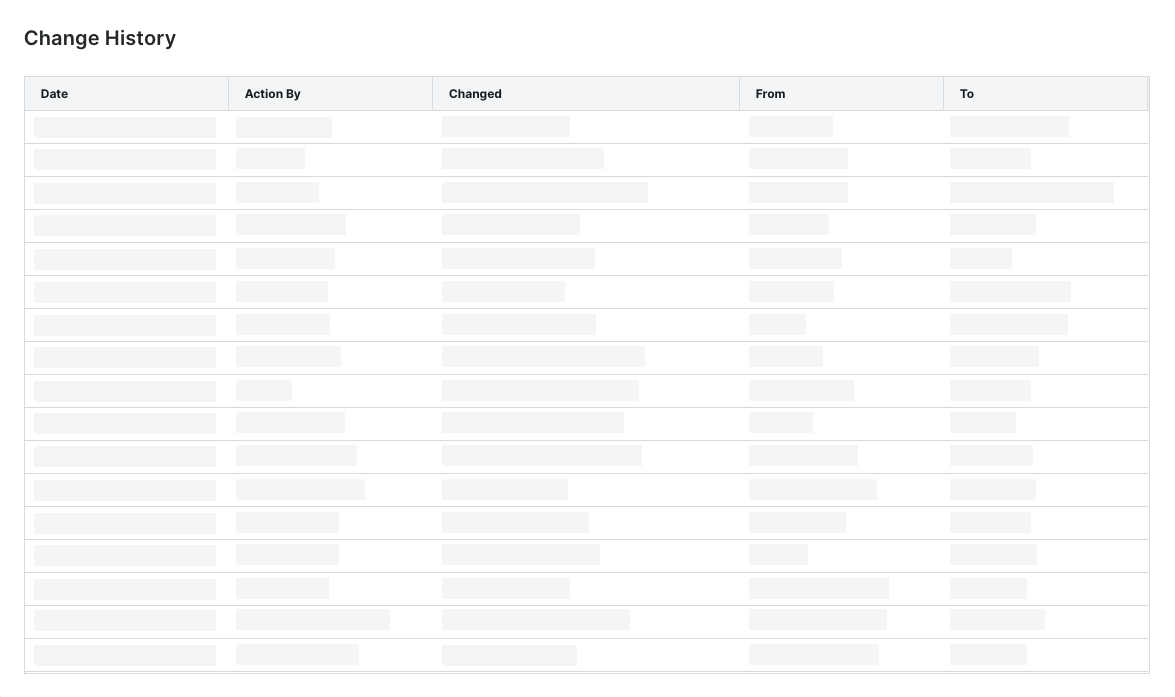
A table on the Change History tab on a program logs the program's changes to an Early Pay Program. A record is added when a user adds, updates, assigns, deactivates, or removes a program.
See View the Change History of an Early Pay Program as a Payor.
Example
This is an example of the Change History tab in an Early Pay Program card in the Payments tool.
Deactivate Early Pay Programs
When deactivating a program, Procore Pay removes all program participants. In addition, Procore projects connected to the program are also disconnected, so the program's fees are no longer applied to subsequent invoice payments. When deactivating a program to offer a new one, payees must enroll in that new program.
See Deactivate Early Pay Programs as a Payor.
Example

Payee Details
Key features for payees include the ability to:
Enroll in an Early Pay Program
General Contractors paying invoices with Procore Pay can create an Early Pay Program and assign it to a Procore project. They also define whether a payee is eligible to participate in their program. If you are eligible for participation, payees can review the program's details and opt-in to the program when accepting a Procore Pay agreement. See Review and Accept a Pending Procore Pay Agreement as a Payee.
Example
This is an example of the Early Pay Program Enrollment card, which appears in a Procore Pay Agreement when a payee is classified as eligible for enrollment by the General Contractor.

Review and Manage Early Pay Program Enrollments
Once enrolled, the program terms go into effect on future invoices. Click the Manage button to view and manage your enrollment settings for a specific program. You can opt out of an Early Pay Program at any time. See Review and Manage Early Pay Enrollments as a Payee.
Example
This is an example of the Available Early Pay Enrollments card in the Early Pay tab of Payments.
