

Notice to Proceed
A "Notice to Proceed (NTP)" correspondence type is created to mark the official issuance of the Job package and start date to the construction contractor. This will be used for all work package issuance during the life of the project.
Note: For “For Bid Only” (FBO) jobs – an initial award for financial purposes(only) is sent through the Transmittal Correspondence tool. Once the work is ready to start, the below NTP creation process will result in the official notification to start work.
Here are the steps to follow:
1. NAVIGATION TO CREATE THE NOTICE TO PROCEED
1.1. Navigate to Project Tools from the top menu and select Correspondence tool.
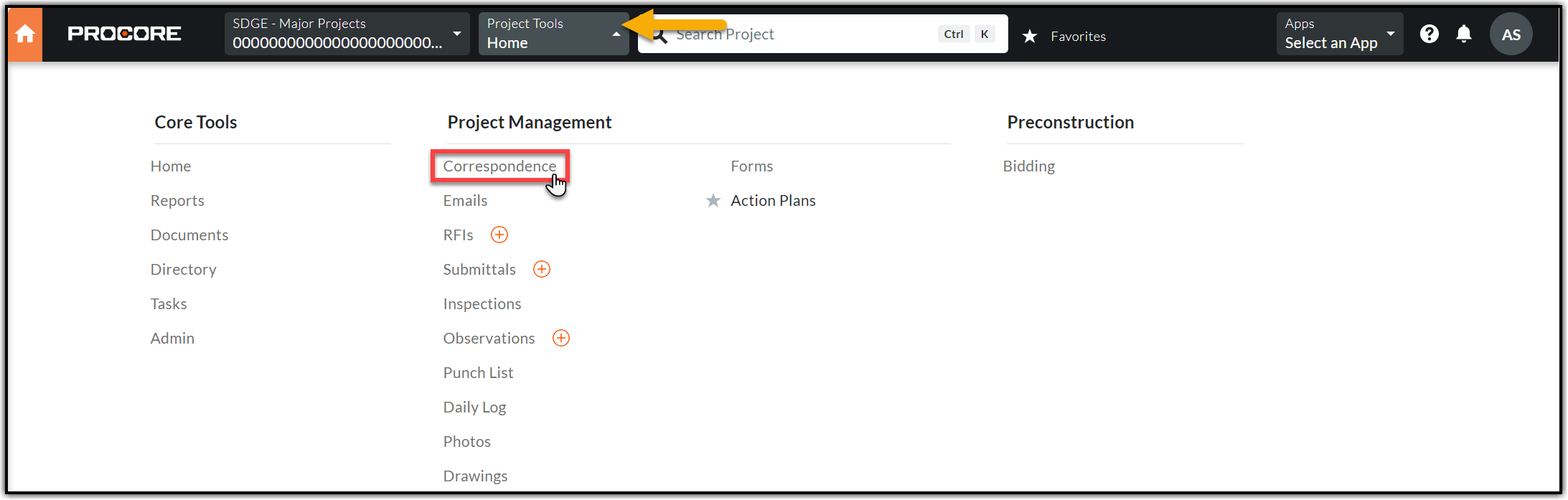
1.2. Click +Create in the orange box on the top right corner and select (Global) – Notice to Proceed.

2. CREATING THE NOTICE TO PROCEED
2.1. Please fill out the following fields in the General Information section using the below details.

- Status: Keep the default status - ‘Open’.
- Subject: Enter the Job Notification title.
- Assignees: Add the Construction Contractor who is awarded with job.
- Distribution Member: Add those who need to be notified by this correspondence – Include the MLP, the CM, the CSPM, the FCA, and anyone from upstream departments (if applicable).
- Trades: Choose the work based on your job (Civil or Electric or SCADA).
- Description: Enter all the pertinent information that the contractor needs to know including but not limited to permit details, material information, city requirements and any other important notes from the job package.
- Attachments: Attach the Construction Ready Job Package. Click Attach Files, select the Documents tool from Project Tools, expand the Job Notification then expand the Stage Five folder followed by Construction Package subfolder.
- SAP Job Notification#: Find this number in the job package or in SAP.
2.2. Please fill out the following fields in the Notice to Proceed section using the below details. Click Create and Issue on the bottom right of your screen after filling in the information.

- Assigned FCA(s): Select the FCAs assigned to this job level.
- Construction Company: Company to which the work is awarded or assigned.
- PO#: Purchase Order number is found within the job package or in SAP.
- Must Finish by Date: Should be typically eight weeks from IFC completion date, verify the documentation to confirm.
- Permit Expiration Date: Find this date in the Permit document.
- Work Order#: Find this number in SAP.
- Materials Status: Find this information in ‘CVM Data - Construction Readiness’ tool.
3. CLOSING THE NOTICE TO PROCEED
3.1. Once you issue the Notice to Proceed (NTP), the contractor is required to acknowledge the job package. You will be notified of their response via email. The response will also be captured under the Activity section (scroll down the NTP page).
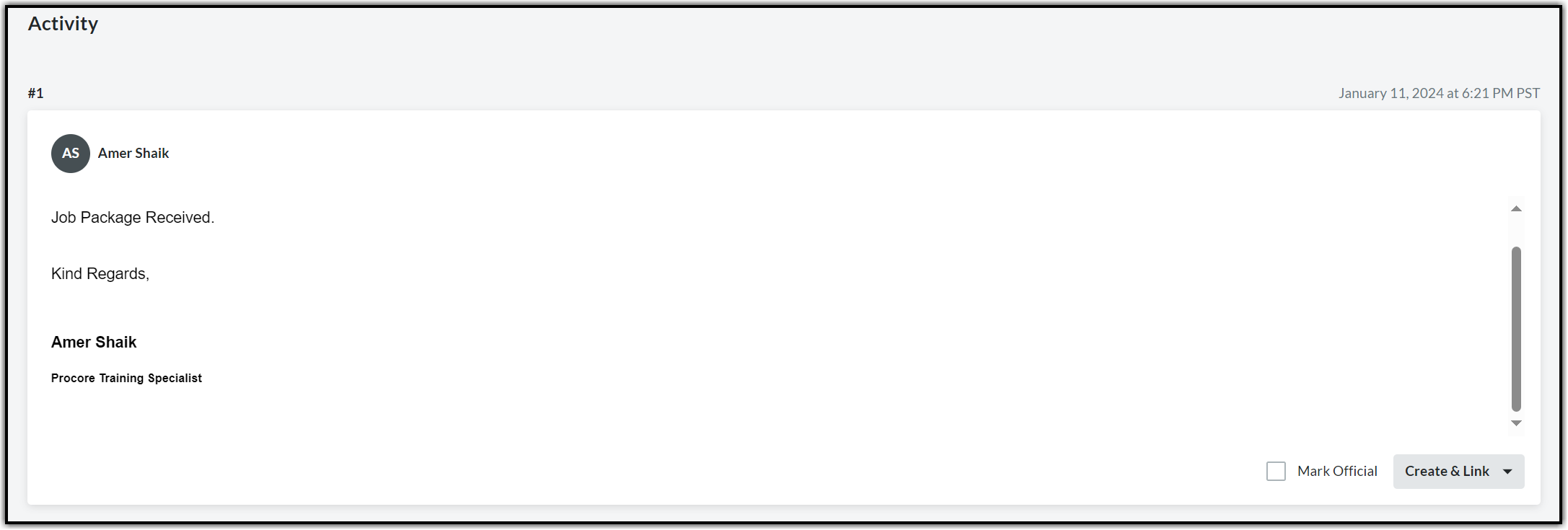
Note: Any questions on the Job Package will continue to be routed your way via the RFIs.
3.2. After the job package is acknowledged by the contractor, it is the responsibility of the CMS to close the NTP upon receiving the response. Click the Ellipsis menu (three dots icon) next to Edit and select Close from the drop-down.
