Delete Custom Options for Incident Fields
Objective
To delete custom field options that were created for the Incidents tool.
Background
In the Company level Admin tool, you can add and manage custom options for certain fields in the Incidents tool. Team members can then view and select these options when creating an incident. This feature allows users to configure items that are consistent with their internal policies and procedures or to be compliant with applicable regulatory requirements.
Things to Consider
- Required User Permissions:
- 'Admin' level permissions on the Company level Admin tool.
- Additional Information:
- If a custom option is currently in use on an incident, it cannot be deleted from the list of field options in the Company level Admin tool.
- You can only delete field options that have been added by you or your team members. Default field options cannot be deleted, although they can be set to inactive.
Steps
- Navigate to the Company level Admin tool.
- Under Tool Settings, click Incidents.
- Click Field Options.
- Click the red 'x' next to the custom option you want to delete.
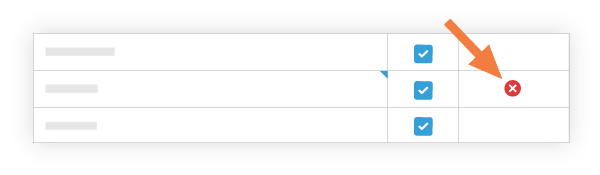
Notes:- If the 'x' is gray and unavailable, this indicates it cannot be deleted because the option is currently in use on at least one (1) incident.
- If you clear the checkbox next to an option, the system makes that option 'Inactive'. See Edit Custom Options for Incident Fields.
See Also
If you would like to learn more about Procore's incident management software and how it can help your business, please visit our construction incidents software product page  .
.
.