Estimating: Automapping for 3D Model Takeoff (Beta)
This announcement represents a single point in time. Future releases may impact the information below.
Feature Announced: November 6, 2023 / Feature Released: November 6, 2023
In Beta
This feature is in beta for Procore customers with both Estimating and Models tools. The feature is on by default. To turn this feature off, navigate to the Model and click the settings icon and move the feature toggle
  to the OFF position.
Auto-Map 3D Model Takeoff
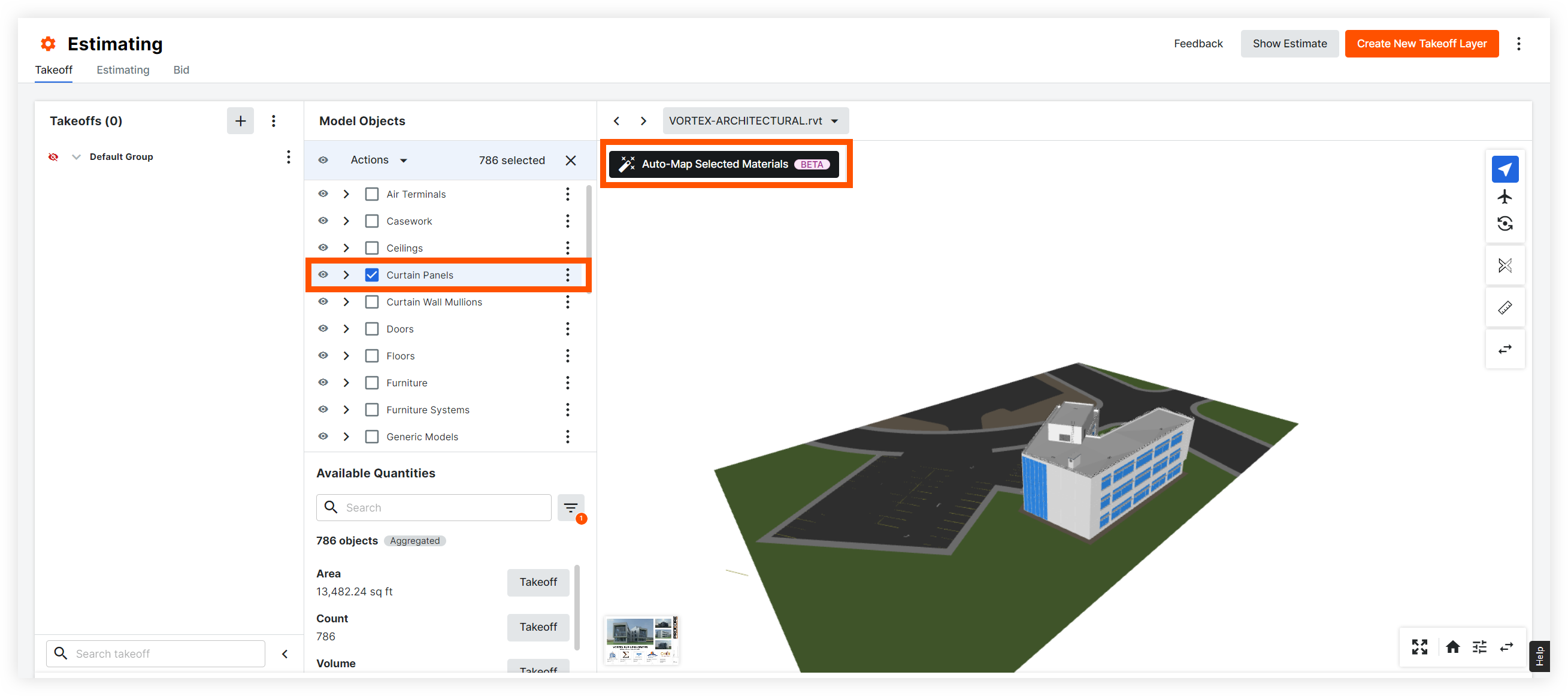
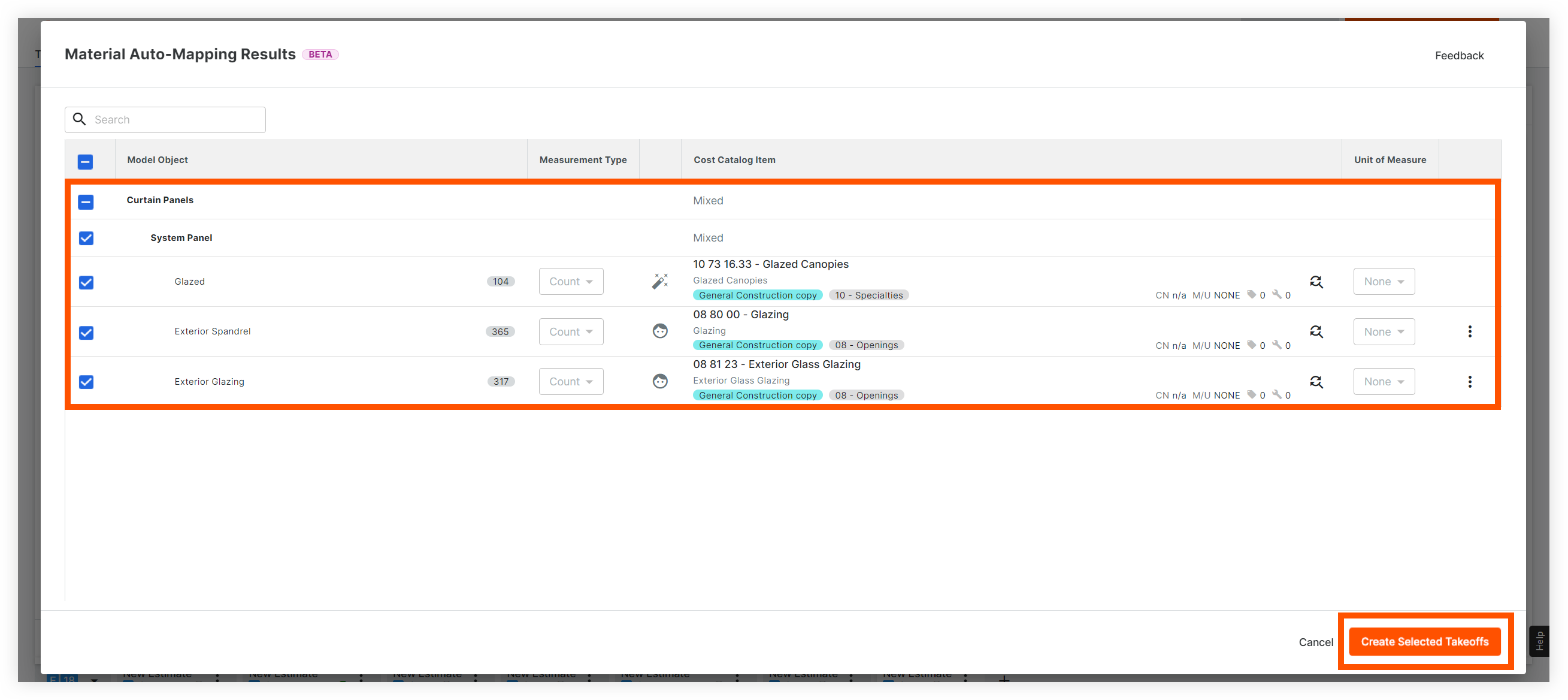
Procore's new auto-mapping (beta) feature extracts properties from your 3D model and maps them to materials and assemblies in your cost catalog. After you select your model, mark the checkboxes for the model objects you want to create takeoffs for. Click the new Auto-Map Selected Materials button and the tool will automatically extract object properties for the selected items and map them to materials and assemblies in your cost catalog. Then, click a single button to create takeoffs for those objects.
Notes:
- Click the replace item
 icon to replace the item with another item in your cost catalog
 - Click the warning
 icon to see model objects without a cost catalog item. You can browse your cost catalog to select an item or add a new one.
 - You cannot currently change the units of measure when using the auto-mapping feature.
Demo
|
Select what model objects you want to auto-map and create takeoffs for. |
 |
|
Properties are extracted and mapped to materials or assemblies in your cost catalog. Click Create Selected Takeoffs to create takeoffs for each model object type. |
 |
|
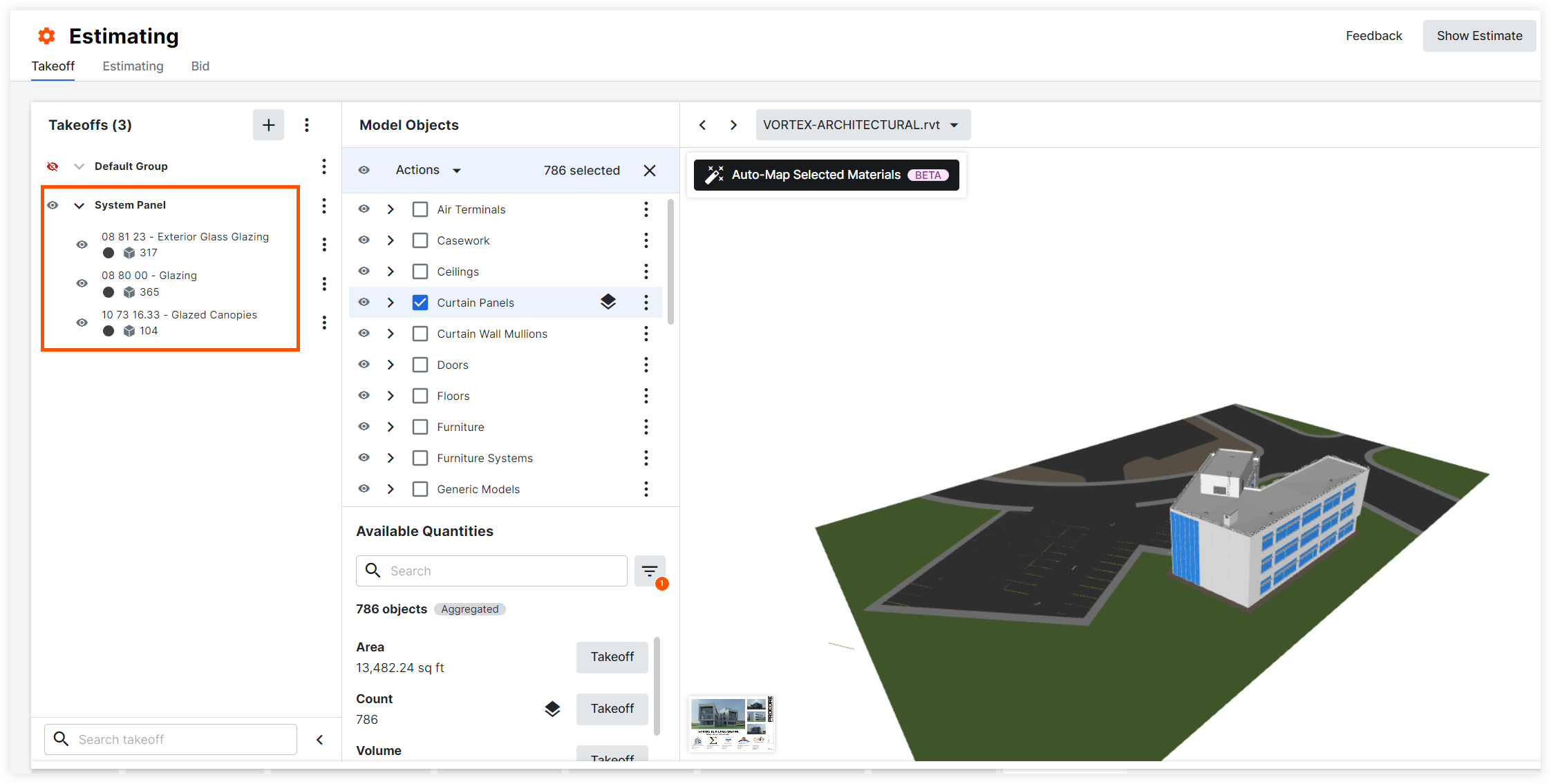
Takeoffs are added and can be edited as needed. |
 |
See Also
If you would like to ask questions or share any feedback, please contact support@procore.com.