Where and how does Procore store customer information?
NOTE: This page is linked in the Procore web app
Location: https://app.procore.com/11733/compan...lations/210007
- Company Admin > App Management > View > Setup Instructions > Procore Analytics Embedded > App Info > Website
Background
Procore separates stored information into two categories: File Data and Application Data. Each category is stored and secured differently, and the File Data Storage Location is configured at the company level during initial account provisioning.
Answer
Procore divides platform data into two categories: File Data and Application Data.
Data Zones (File Data)
File Data includes documents, photos, drawings, specifications, models, and other file attachments. It is stored on a Procore Data Zone. This lets users organize and share files within a single Data Zone of your choosing. Procore offers Data Zones in both US and non-US zones. Procore also maintains real-time backups and replicates File Data across multiple data centers within the selected Zone, using a designated cloud storage provider.
How to Find Your Company's File Storage Location
To check your company's current File Storage location:
Important Data Residency Consideration
Changing your File Storage Location (Data Zone) moves future and/or existing file storage to a new geographical region. Because this impacts data compliance, replication, and host infrastructure, changes to this setting require your company's Procore Administrator to submit a request to your Procore point of contact.
- Navigate to the Company Admin tool. This requires 'Admin' level permissions to the tool.
- Under Company Settings, click General Settings.
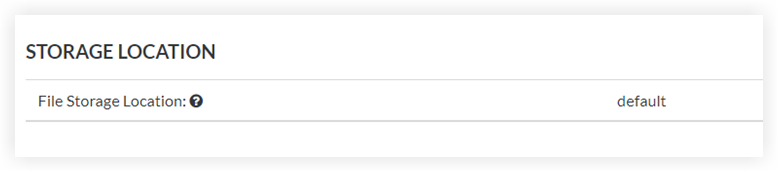
- Under Storage Location, the File Storage Location field shows the geographical region where your file data is stored.
Supported File Storage Locations
Procore currently supports the following file storage locations.
US Data Zones
|
Region |
Zone Code |
|---|---|
|
United States |
us01 (default) |
|
United States |
us02 |
Non-US Data Zones
|
Region |
Zone Code |
|---|---|
|
Australia |
apse2 |
|
Bahrain |
me01 |
|
Brazil |
sa01 |
|
Canada |
ca01 |
|
France |
fr01 |
|
Germany |
de01 |
|
Hong Kong |
ape01 |
|
Ireland |
ie01 |
|
Italy |
it01 |
|
Korea |
apne02 |
|
Singapore |
apse01 |
|
South Africa |
af01 |
|
Sweden |
se01 |
|
United Kingdom |
uk01 |
Application Zones (Application Data)
Application Data is stored on Procore Application Zones, which provide application storage, processing, and the overall user experience. It includes anything written to Procore's data stores:
- System-generated metadata (for example, the creator of an item, timestamps, or logs)
- Anything entered via keyboard (for example, information entered in the Directory tool)
- Anything entered into input fields via the Procore API or other import processes
For more information on Procore Application and Data Zones, see What are Procore Zones?
Zone Benefits
- Flexible data hosting. Host your File Data in your desired location with Data Zones. Selecting a file data location close to your team can help improve file download performance.
- Data Replication. Procore continuously replicates File Data across at least three data centers within the selected Zone, using storage services from major cloud providers. This helps to protect against disruption from natural disasters, power failures, or other outages.
- Secure storage and controls. Procore uses encryption to help protect File Data and Application Data from unintended exposure. Access controls, change management workflows, and audit logging restrict and track who can view or modify files
Questions
Direct additional questions to your Procore point of contact.