How do I contact Microsoft Support for unresolved Conditional Access Evaluation issues?
Answer
If you have reviewed the Procore troubleshooting guides and determined that your Conditional Access Evaluation (CAE) issue stems from a Microsoft Entra (Azure AD) configuration or outage, your IT Administrator needs to file a support request directly with Microsoft.
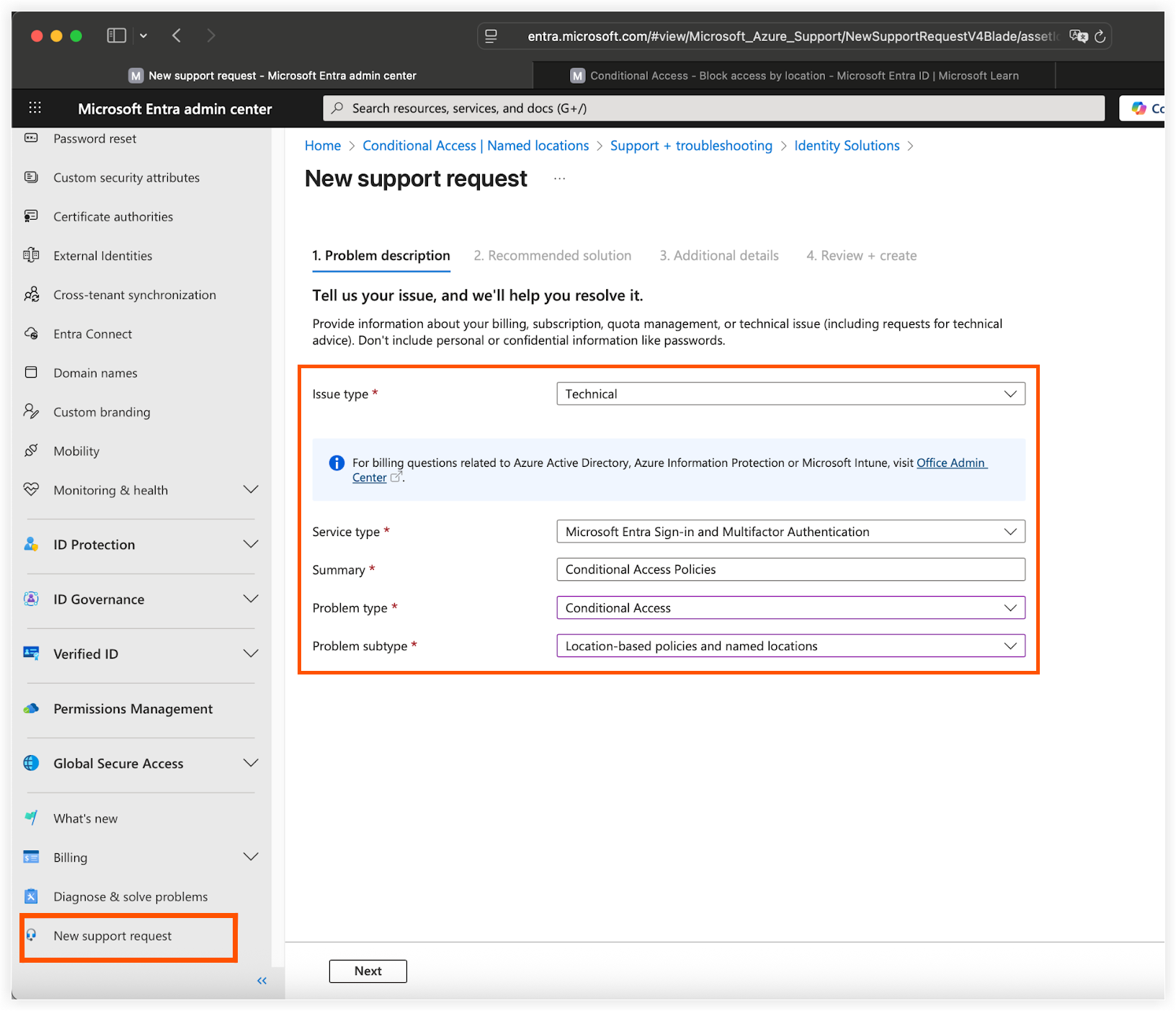
To ensure your request reaches the correct technical team, categorize your ticket using the following details:
-
Log in to the Microsoft Entra admin center.
-
Navigate to Support & Troubleshooting > New Support Request.
-
Select the following options:
-
Service: Microsoft Entra ID (formerly Azure AD).
-
Problem type: Conditional Access.
-
Problem subtype: Policies not applying as expected (or Continuous Access Evaluation if available).
-
-
Describe the Issue: State that the "Procore for Outlook" enterprise application is being blocked despite meeting policy requirements, or cite specific error codes. For example,
LocationConditionEvaluationSatisfied).
Note: For details on conditional access policies, see Microsoft's What is Conditional Access? support article.